Anker 735 Nano II: Can It Charge Two Laptops?
Quick Verdict
A2667 is more convincing for one laptop plus accessories than two working laptops. Its dual-USB-C maximum split is 45W and 20W; check each computer’s input requirements.
Good for
- One compatible USB-C laptop plus a phone
- Travelers who verify shared-output needs
Not for
- Two demanding laptops used together
- Buyers expecting 65W per USB-C port simultaneously
Buying Guide Notes · First published:
Compiled from public sources · Written using published specs and user feedback.
As an Amazon Associate I earn from qualifying purchases.

Pros
- + Compact three-port travel format
- + Clear manufacturer shared-output table
- + Up to 65W from a USB-C port used alone
Cons
- - Dual USB-C splits to 45W and 20W
- - Three-device use reduces USB-C budgets further
- - Repeated 735 naming can confuse model selection
- - Cables sold separately
Sources and verification status
Verification status: compiled from public sources
Data updated:
The Anker 735 Nano II is a poor default choice for charging two working laptops: its two USB-C ports share a published maximum of 45W plus 20W, rather than supplying 65W each. Some low-demand combinations may be usable, but compatibility and charging while working depend on each computer. Buy it primarily for one USB-C laptop plus smaller devices, unless you have verified your exact two-laptop requirements.
Checked November 14, 2026, Taiwan time. This guide is compiled from public sources, without hands-on charging, temperature or electrical testing. The US Amazon offer checked was $29.99, new, sold by AnkerDirect and shipped by Amazon, with 4.7 stars from 22,926 ratings. Those figures can change; the price is one cent below our usual $30 selection floor, an explicit exception.
AI-generated illustration — A man with two laptops and a small unplugged A2667 charger; this scene does not show a verified charging setup.
Quick verdict: which setup makes sense?
The useful comparison is between connection arrangements, not three identical-looking chargers advertised with the same maximum number. Every row below uses the same A2667 Nano II, so the device price is unchanged. Cable costs are additional. Maximums come from Anker’s current US specification table.
| Setup | Price checked | Published maximum output | Best for | Who should skip it |
|---|---|---|---|---|
| One laptop on either USB-C port | $29.99 charger | 65W on that port alone | A compatible notebook with a suitable power requirement | Computers needing a higher-output adapter |
| Two USB-C devices | Same $29.99 charger | C1 45W + C2 20W | Laptop plus phone; carefully verified low-demand combinations | Two laptops expected to run and refill quickly |
| All three ports occupied | Same $29.99 charger | C1 40W + C2 12W + USB-A 12W | One modest laptop and small accessories | Two active notebooks |
| Each laptop’s own adapter | Existing equipment; replacement prices not checked | Depends on the original adapters | Predictable separate power budgets | Travelers prioritizing the fewest adapters |
View Current Offers on Amazon →
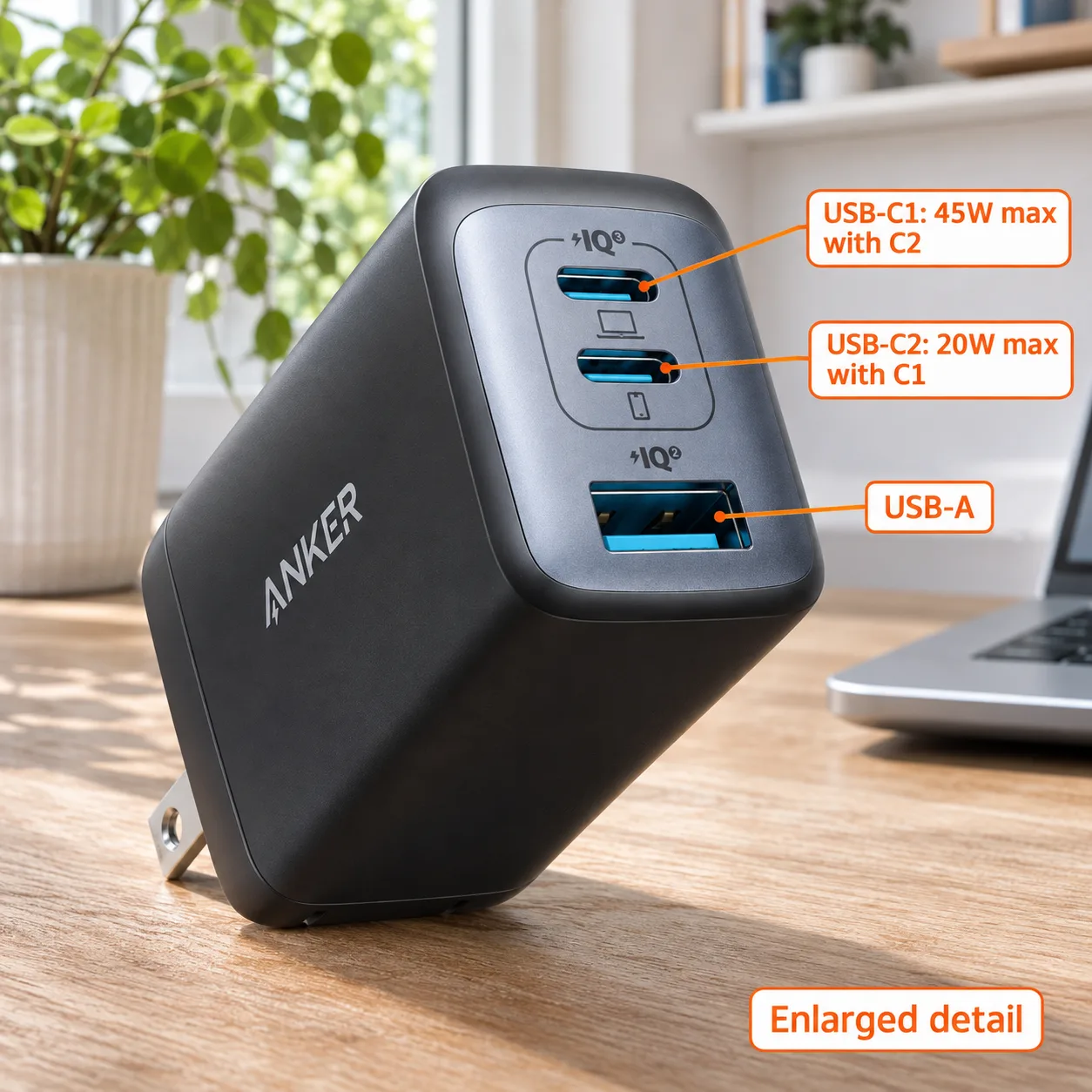
AI-generated illustration — Enlarged A2667 port detail with orange labels showing the 45W and 20W dual-USB-C maximum split.
Why doesn’t “65W” mean two 65W laptop outputs?
The front-panel connector count and the charger’s largest advertised number answer different questions. Two sockets give you two places to connect devices; they do not promise that each connected computer receives the charger’s single-device maximum simultaneously.
For this purchase, read the two-port row before the headline. The smaller budget is particularly important: a second notebook does not become a phone merely because it plugs into the lower USB-C connector. If your work requires two computers awake throughout the day, the lower allocation is the first reason to look elsewhere.
Also distinguish maximum available power from actual consumption. A charging table cannot predict battery gain during a video call, a software build or an idle overnight session. We have not measured any of those workloads. Claims that a particular pair “works fine” are only useful when they identify the computers, cable arrangement and activity.
How do you check your two laptops before buying?
Start with each computer’s official charging instructions and adapter label. Confirm that the USB-C socket accepts charging; the presence of a USB-C connector alone is insufficient. Then find the supported Power Delivery input requirements and the recommended adapter output for normal operation.
Make two separate decisions. First, can the laptop negotiate a supported input from the intended port? Second, is the available power adequate for the way you intend to use it? A compatible connection can still be an inconvenient purchase if the battery drains during your normal workload.
We did not establish the complete voltage negotiation profiles for every shared-port configuration, so 20W is not a universal laptop compatibility promise. If your manufacturer does not document operation at that level, ask it about your exact machine or use its recommended adapter. Do not buy on the assumption that a low number merely means slower charging in every case.

AI-generated illustration — The same man packing a bag with a compact unplugged A2667 beside two closed laptops.
Which port combinations are easy to overlook?
Adding a third device changes the calculation. A small accessory is not automatically irrelevant to the published allocation: with all three ports occupied, the table changes to the lower three-port budgets shown above. Plan around the devices that remain connected throughout your workday, rather than the best-case arrangement photographed for a listing.
The mixed USB-C/USB-A combinations also differ. Anker lists C1 plus USB-A at 40W and 22.5W, while C2 plus USB-A is 12W and 12W. This is a practical reason to identify the connectors before packing, instead of assuming the two USB-C sockets behave interchangeably whenever another device is attached.
Is the 735 Nano II the same as the 735 GaNPrime?
No. This article concerns A2667, also named PowerPort III 3-Port 65W Pod in Anker’s linked US manual. The similarly named 735 GaNPrime is A2668. Model numbers matter more than the repeated “735” label when comparing power behavior.
Check the selected Amazon option, seller and model information at checkout. Do not transfer an A2668 owner’s experience to A2667 or confuse either with a single-port Nano charger. We are not making a current price or availability recommendation for A2668 here.
The compact A2667 enclosure measures 1.5 × 1.15 × 2.6 inches on the US product page. That makes it a plausible travel accessory, but size does not resolve the shared-output limitation. Our illustrations show the US folding-prong appearance and are not outlet-clearance or cable-fit measurements.
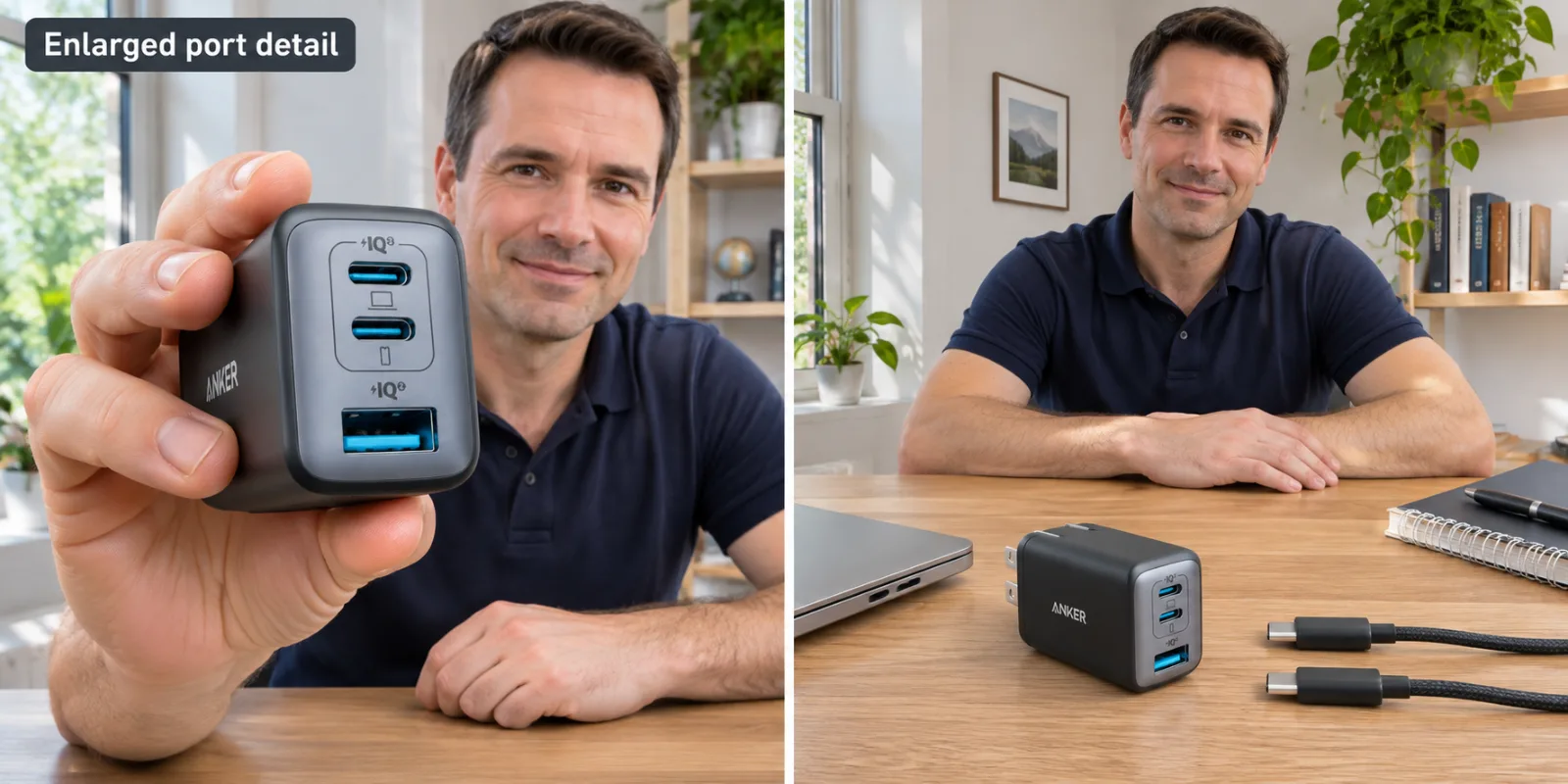
AI-generated illustration — Two panels show enlarged A2667 ports and the charger beside disconnected USB-C cables; not an electrical test.
What do owners say about the model confusion?
The useful discussion is this r/anker thread, begun August 29, 2022. It spans several years and charger versions, so individual comments need context.
- Positive, but not a two-laptop test. A now-deleted account wrote on October 3, 2024 that they liked their Nano chargers. The exact model was not established, making this limited background rather than proof of A2667 performance.
- The names can create real buying confusion. nasenbohrer reported on December 15, 2024 receiving A2667 while comparing it with an older A2668 purchase. This supports checking identifiers, not a conclusion that either charger is defective.
- An owner’s preference is not the specification table. khoa4z preferred the older fixed-distribution approach on January 7, 2025. Their quoted power numbers differ from the current official table; we use the manufacturer’s 45W/20W dual-USB-C figures, not that comment’s numbers.
We found no verified exact-model two-laptop test in these comments. They do not establish failure rates, temperature performance or a consensus about charging interruptions.
Who should buy it, and who needs another approach?
Consider A2667 if your main need is one compatible notebook, a phone and occasional accessories, and the documented port combinations suit your devices. The verified price makes sense only alongside the required cables and your actual power needs. Its three connectors are a convenience, not a substitute for checking those needs.
Skip it for two demanding work laptops. Reusing their supplied adapters is the clearest alternative when reliable simultaneous power matters more than packing space. If you want one replacement charger, compare a higher-output model’s explicit two-USB-C allocation and voltage profiles against both manufacturers’ requirements. A larger total alone is still insufficient; we have not verified a specific alternative offer for this article.

AI-generated illustration — The same man with the compact A2667 on his desk and laptops in the background.
How we researched this buying decision
We checked the exact Amazon US listing, Anker’s current A2667 output table and linked manual, and dated public discussion. The manual identifies the product and instructs owners to use appropriate cables; we did not conduct electrical safety certification or charging tests. Selection is editorial and is not an Amazon sales ranking.
Images are AI-generated illustrations, not evidence of ownership or testing.
Buying decision: choose this A2667 for a verified one-laptop-and-accessories arrangement. For two working laptops, establish both input requirements first and prefer a solution with enough documented power for each.
FAQ
Can the Anker 735 Nano II deliver 65W to each laptop?
No. Anker specifies up to 65W from one USB-C port when used alone. With both USB-C ports occupied, the published maximum split is 45W on C1 and 20W on C2. These are ceilings, not guaranteed power drawn by your computers.
Will a laptop definitely charge from the 20W USB-C port?
No. Check the laptop manufacturer’s supported USB-C Power Delivery inputs and minimum adapter requirements. A wattage total does not establish voltage compatibility, adequate operating power or charging speed. We did not verify two specific laptops on this charger.
What happens if all three ports are used?
The manufacturer lists C1 at up to 40W, C2 at up to 12W and USB-A at up to 12W. Adding a USB-A accessory therefore changes the available USB-C budgets.
Is Nano II A2667 the same as 735 GaNPrime A2668?
No. They share the 735 name but have different model numbers. This guide covers Nano II A2667, Amazon ASIN B09C5RG6KV. Do not apply specifications from A2668 or a single-port Nano charger.
Are charging cables included?
Anker’s US page says cables are sold separately. Budget for suitable USB-C-to-USB-C cables, and check their power ratings along with your laptop’s requirements before treating this as a travel charging kit.
Price and purchase links
You might also like

Electronics
Product analysisAnker Nano II 65W Raises the Power, Not the Port Count
The $29.99 Nano II adds notebook power, while the $18.99 Nano 30W includes a cable for a simpler phone kit.

Electronics
Buying guideTALIX 190W Power Bank: Why One Port Tops Out at 140W

Beauty & Personal Care
Buying guideBraun 3040s While Charging: Why It Won't Run Plugged In
Can a Braun 3040s run while charging? Read the documented cordless-only rule, quick-charge limits, model checks, and what buyers should verify first.

Home & Kitchen
Buying guideCan You Use a Dremel 7350 While Charging?
Can the Dremel 7350 run while charging? See the official answer, charging limits, connector conflicts, and who should choose a corded tool instead.