Deco X55 AP Mode: Does Ethernet Backhaul Work?
Quick Verdict
Can Deco X55 use Ethernet backhaul in AP mode? Check wiring rules, lost router features, Gigabit limits and owner reports before buying a three-pack.
Buying Guide Notes · First published:
Compiled from public sources · Written using published specs and user feedback.
As an Amazon Associate I earn from qualifying purchases.

Pros
- + Ethernet backhaul is supported in AP mode
- + Three Gigabit ports per node
- + Can mix wired and wireless node links
Cons
- - AP mode removes several Deco gateway controls
- - Gigabit ports do not provide multi-gig wired links
- - Existing wiring and router configuration still matter
Sources and verification status
Verification status: compiled from public sources
Data updated:
Yes: the Deco X55 supports Ethernet backhaul in Access Point mode, so you can keep an existing router and use wired links between your Wi-Fi nodes. The important tradeoff is that your existing router handles routing and DHCP, while several Deco gateway features become unavailable. Choose the X55 for that division of responsibilities, rather than assuming AP mode preserves every feature advertised on the box.
Compiled from public sources, checked November 13, 2026. We have not installed or speed-tested this system. AI-generated illustrations explain placement and product appearance; they are not installation evidence.
AI-generated illustration: a man beside a correctly scaled Deco X55 on a living-room console; not a network test.
Quick verdict: is the three-pack right for your wiring?
The Deco X55 three-pack, ASIN B09PRB1MZM, is a sensible candidate when your current router works well but its wireless coverage does not. We observed a new Amazon.com offer at $149.96, sold and shipped by Amazon.com, with 4.4 stars from 13,431 ratings. Those figures describe the listing at our check, not our assessment or a guaranteed future offer.
Its attraction is straightforward: put a node near an existing Ethernet outlet instead of relying entirely on a wireless connection through several walls. However, buying three nodes before checking your outlet connections can waste money. First identify where those cables terminate and whether the existing router has enough usable LAN ports or needs a separate switch.
AP mode or router mode: what changes for the same price?
| Configuration | Price basis | Key specification or limitation | Best for |
|---|---|---|---|
| X55 three-pack in AP mode, wired | Same hardware observed at $149.96; extra cabling or switch costs not verified | Existing router handles DHCP; Ethernet backhaul supported | Keeping a router and using existing Ethernet outlets |
| X55 three-pack in router mode, wired | Same $149.96 listing observation | Satellites belong downstream of the main Deco | Making Deco the gateway for the network |
| X55 with mixed backhaul | Same system; installation costs vary | Some nodes wired, others linked wirelessly | Homes with Ethernet in only certain rooms |
These are configurations of one product, not three different bundles. TP-Link's mode comparison explains why selecting AP mode changes the feature set. Check that distinction before choosing a mode solely because an online diagram looks convenient.
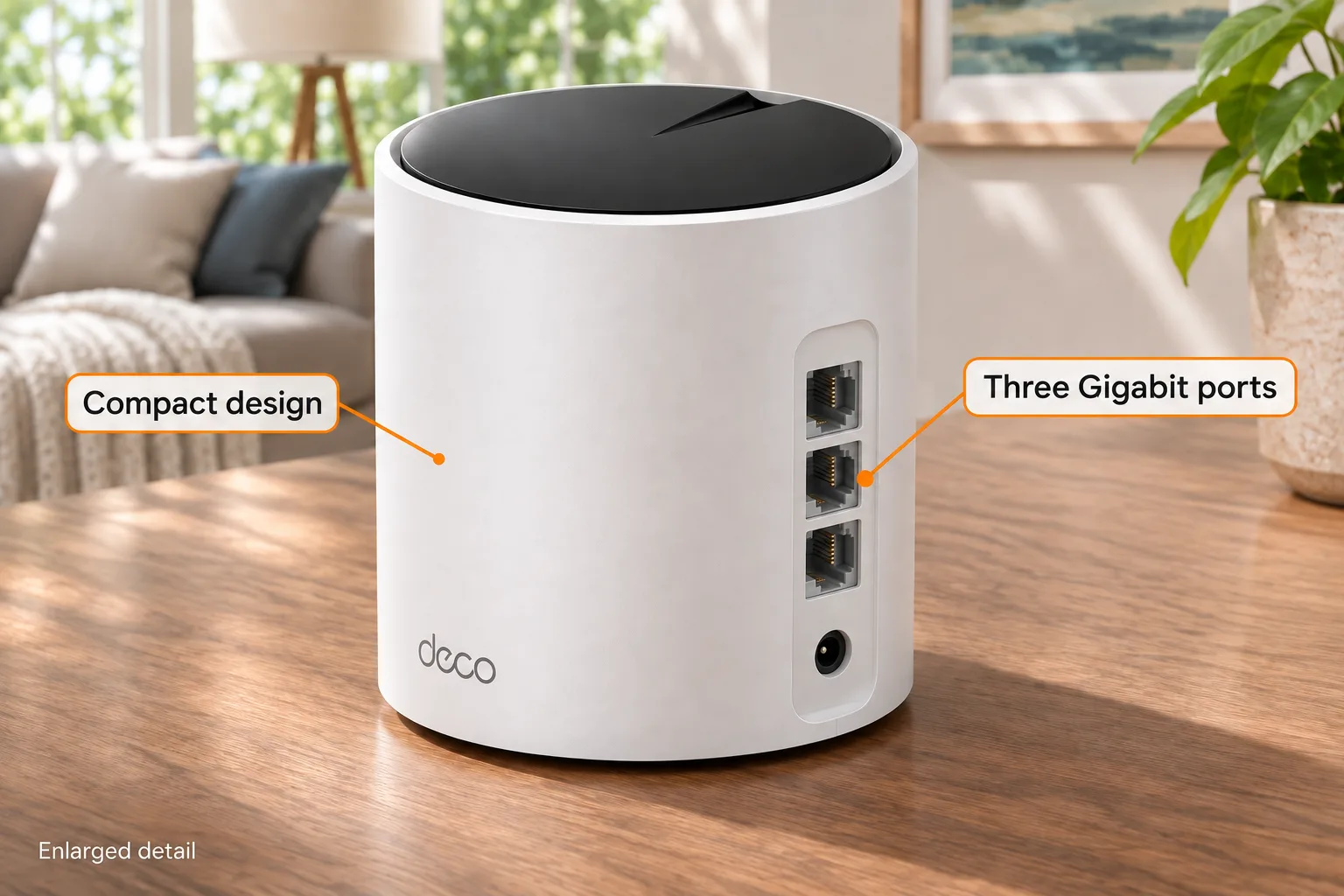
AI-generated illustration: enlarged Deco X55 rear connections with orange feature labels; not a wiring test or scale reference.
Can every Deco connect directly to the existing router?
In AP mode, yes. TP-Link's Ethernet-backhaul guidance permits satellite nodes to connect to another Deco or the upstream router. This makes AP mode useful when separate room cables already return to a central network location.
Router mode has a different rule: satellites must connect to the main Deco's LAN side, directly or through a downstream switch. Do not copy an AP-mode wiring arrangement into router mode without checking the topology. The manufacturer warns against connecting satellites upstream of the main Deco in that configuration because it can create a network loop.
You do not have to wire every node. A mixed system can use Ethernet where available and wireless backhaul elsewhere. That flexibility is valuable if the office has a wall outlet but the hallway does not. It does not establish that the wireless hallway link will perform like the wired office link; placement and building materials still matter.
Will AP mode remove parental controls or port forwarding?
Several familiar Deco controls are gateway functions. TP-Link's AP-mode setup instructions state that Deco does not assign client IP addresses in this mode; the upstream router's DHCP server must remain enabled. The same guidance lists unavailable features including parental controls, antivirus, port forwarding, address reservation and TP-Link DDNS.
That is a real buying limitation if you wanted Deco primarily for household restrictions or gateway management. Check whether your existing router provides the functions you need. A subscription or a more expensive mesh kit should not be assumed to restore features that the selected operating mode does not provide.
Conversely, a buyer who already prefers the existing router's controls may welcome keeping them in one place. The decision depends on which device you want to manage the network, not simply which product has the longer marketing checklist. Firmware, hardware revisions and model-specific support can change individual options, so consult the matching support page before purchase.

AI-generated illustration: the same man at a desk with a compact Deco X55; no connection performance was tested.
Is the X55 fast enough for a multi-gig internet plan?
The US X55 product page lists three Gigabit Ethernet ports per unit. A three-pack therefore has nine physical ports across three nodes, although connected uplinks consume ports. Amazon's shared copy also contained a two-pack port-total reference; that generic line should not redefine the selected three-pack.
AX3000 is a wireless speed class, not a promise of 3Gbps through one Ethernet port. If your purchase requires a wired connection faster than Gigabit, choose hardware with explicitly specified multi-gig ports instead. Adding faster Ethernet cables does not change the X55's port specification.
For a household with an internet plan below that limit, Gigabit ports may be adequate, but that is an assessment of requirements rather than a speed-test result. We have not measured throughput, latency, roaming or maximum coverage. The advertised coverage area is also not a room-by-room guarantee for your home.
What if the app still shows wireless backhaul?
Follow the manufacturer's setup sequence: establish the Deco network in the app before adding the Ethernet links. Wired backhaul should activate automatically when the appropriate connection is established. Check each satellite's connection information in the app rather than treating the presence of a cable as proof.
If the reported connection does not match your wiring, TP-Link recommends checking ports and cables and testing a direct connection between units to isolate an intervening switch. A working laptop connection is useful information, but it does not prove every part of the mesh arrangement is configured correctly.
Avoid making several speculative network changes at once. Record the operating mode, topology and hardware/firmware versions before contacting support. This guide is purchase planning, not a diagnosis of an unseen network, and it cannot guarantee that switching to AP mode will fix disconnections.
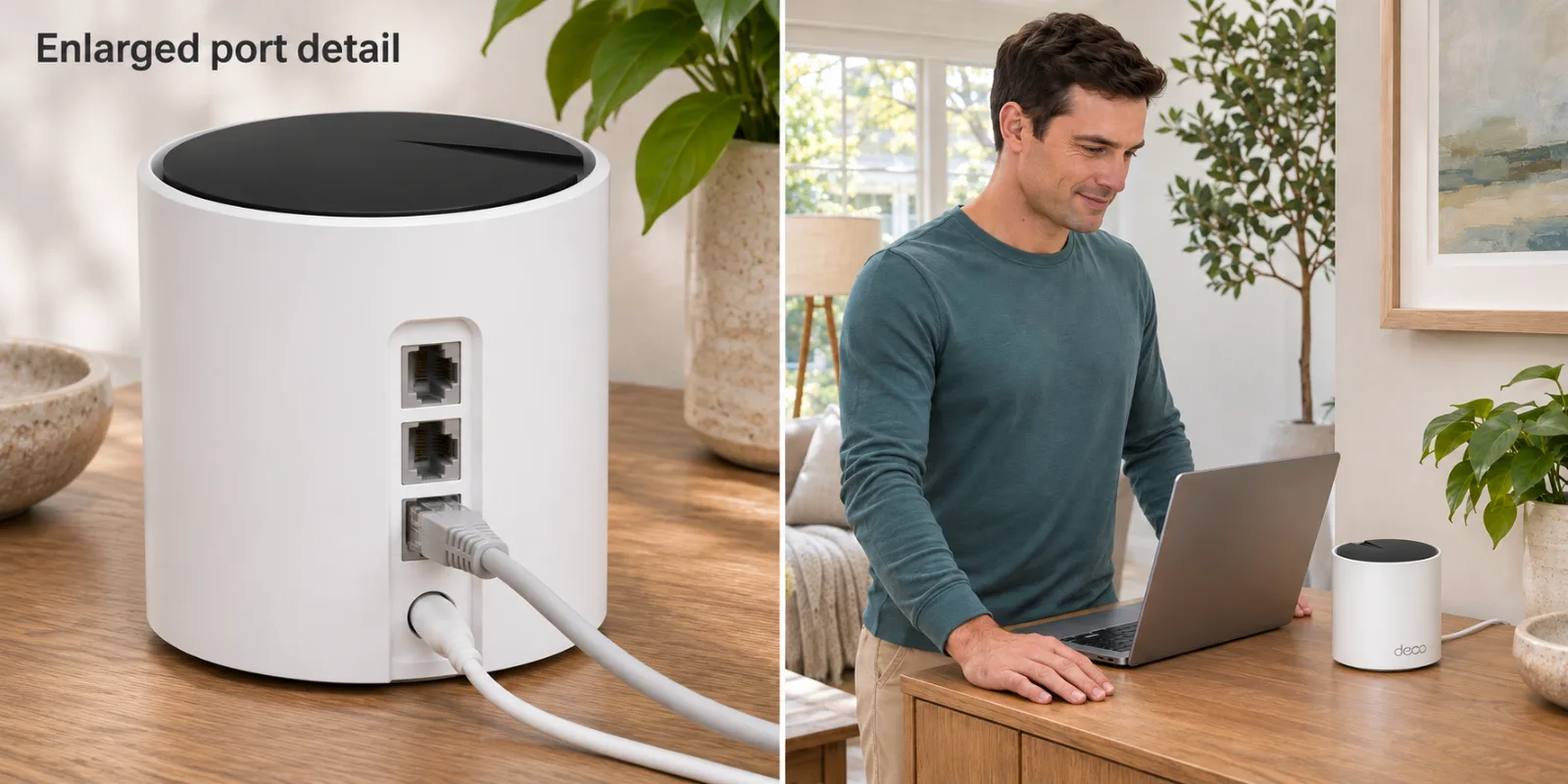
AI-generated illustration: two panels show an enlarged port example and a normal-scale placement example; not installation instructions.
What do owners report about wired AP setups?
- The wiring question is real. On January 2, 2025, Cyclotrom described an X55 network behind another router and uncertainty about where satellite cables should terminate. The follow-up reported a wireless icon despite the attempted wiring. Another commenter described multi-gig Deco hardware, which is a different specification from the X55; their port speeds must not be attributed to this model.
- AP mode is not a universal stability fix. On October 26, 2026, MexVersteppen1 reported three X55 units dropping connections despite wired AP operation. On October 27, the same author said a Smart-DHCP setting change appeared to help for a few hours. That short update is not long-term confirmation, and their setting change is not a general instruction to disable the upstream router's required DHCP service.
- A positive experience has limits too. In that October 26 thread, Striking_Presence said using the ISP router with AP mode resolved a similar problem, then noted a later move to Omada. Their precise Deco model was not stated. This is one person's experience, not evidence that all X55 owners obtain the same result.
Who should buy it, and who should skip it?
Buy it for: a household retaining a functioning router, with known Ethernet runs and a preference for consumer mesh management. The compact nodes suit shelves and consoles: the US datasheet lists each at approximately 4.33 × 4.33 × 4.49 inches. Leave practical space for cables and ventilation rather than planning around the cylinder alone.
Skip it for: someone requiring multi-gig wired links, expecting all Deco gateway features in AP mode, or buying a three-pack to solve an undiagnosed internet-service problem. A single well-placed access point may be enough for one weak room. A separately managed access-point system is another alternative when configuration control matters more than consumer-mesh simplicity; its current equipment cost was not verified here.
As a gift, this requires coordination. Ask whether the recipient wants to keep the existing router and can identify the wall outlets before giving them a network project in a box.

AI-generated illustration: the same man beside one Deco X55 at approximate 110mm-wide, 114mm-high scale; not firsthand testing.
How we researched this
We checked the exact Amazon three-pack, TP-Link's current US product specifications, its AP/router comparison and its backhaul/setup guidance. The US X55 datasheet supplies the physical dimensions used for illustration scale. We read the dated Reddit posts and preserved model differences and the troubleshooting update.
Our recommendation weighs topology fit, port limits and retained features. We performed no installation, coverage or durability testing. Buy the X55 when its documented wired AP configuration matches your plan; choose another solution when the missing features or Gigabit limit conflict with it.
FAQ
Does the Deco X55 support Ethernet backhaul in AP mode?
Yes. TP-Link documents Ethernet backhaul in Access Point mode. Satellite Decos can connect to another Deco or the upstream router; the upstream router handles DHCP.
Can I connect every X55 directly to my existing router?
In AP mode, TP-Link permits that topology. In router mode, satellite units must instead remain downstream of the main Deco, directly or through its LAN-side switch. Confirm the operating mode before connecting cables.
Will Deco parental controls work in AP mode?
TP-Link lists parental controls and other gateway functions, including port forwarding and address reservation, as unavailable in AP mode. Check the existing router for the controls you need.
Does AX3000 mean the Ethernet ports support 3Gbps?
No. AX3000 describes the wireless speed class. The X55 has three Gigabit Ethernet ports per node, so it is not the right choice when your requirement is a multi-gig wired connection.
Do all three nodes need an Ethernet cable?
No. TP-Link permits a mix of wired and wireless backhaul. Set up the Deco network through the app first, then add the Ethernet links and check each satellite’s reported connection type.