Logitech K380 Review: One Keyboard, Three Devices
Shop Owner's Analysis ·
Compiled by the store manager from official specs, listings and user feedback.

Where to buy
Logitech K380 Review: One Keyboard, Three Devices
This page contains affiliate links. We may earn a commission at no extra cost to you. Please check Shopee/Amazon for current prices. Disclosure
By the Store Manager (店長評析)
Monday, 9 a.m.: a work laptop, an iPad, a phone, two keyboards and a stand on one desk. I typed a client reply straight into the company weekly report. The problem wasn't me. It was too many keyboards.
Key points first
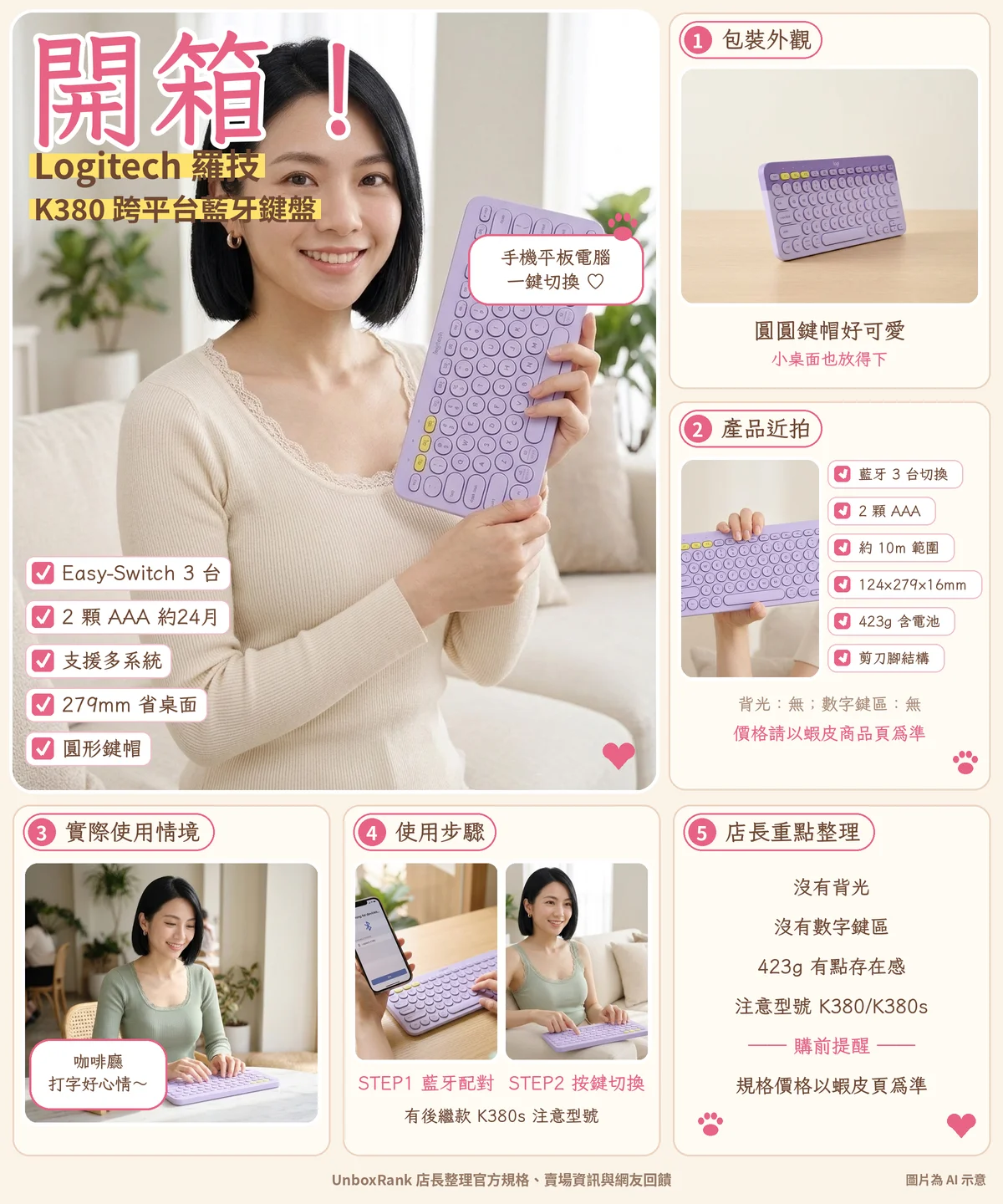
So let's look at the Logitech K380. We went through Logitech's site, support pages and retailer listings. Its main trick is simple: Easy-Switch, three keys for three devices.
Logitech lists Windows, macOS, iPadOS, ChromeOS, Android, iOS and Apple TV. Keycaps carry both Windows and Mac function labels, so shortcuts are less of a guessing game.

A closer look
Power comes from 2×AAA batteries, rated about 24 months. Old school, sure, but not having to remember to charge is a feature in itself.
It measures 124 × 279 × 16 mm and weighs about 423 g with batteries: bag-friendly but not featherweight.
Keys use scissor switches with round caps. Cute, but square-key loyalists may need a few days to adjust.

Everyday use
Range is rated about 10 m. You could type from the sofa to a desk across the room, but you wouldn't see the screen.
Downsides: no backlight, no number pad. Also, Logitech has released the successor K380s, so check the model on the listing.
Shop owner's note: the real efficiency is one fewer keyboard, one fewer cable. Pricing changes with promotions, so check the Shopee listing.

Shop owner's notes
Someone will ask: why not just use the tablet's on-screen keyboard? You can, but when you type a long email, the on-screen keyboard eats half the screen, and your fingers start questioning life. A physical keyboard lets the screen go back to showing content—let the typing thing do the typing. Clear division of labor, happier everyone.
Per Logitech's support page, pairing works like this: long-press an Easy-Switch key to enter pairing mode, then pick the keyboard in your device's Bluetooth settings. Once all three are paired, daily life is just one press to switch. My tip: give slot 1 to your main computer, slot 2 to the tablet, slot 3 to the phone, and keep it that way so your brain doesn't have to relearn who's who every day.
One last word: no matter how good the keyboard, bad posture still means a sore back. Raise the tablet near eye level and put the keyboard where your elbows bend naturally—that matters more than any spec.

Before you buy
Another common question: the K380 has round keycaps—cute, but if you're used to square ones, your fingers may feel like they're playing hopscotch at first. My advice: give yourself a few days to adjust before passing judgment. You didn't learn to type in a day either.
Good for: people juggling a computer, tablet and phone, iPad-as-laptop users, small desks. Not ideal for: backlight needers, number-pad power users, mechanical keyboard fans.

Specs
| Item | Detail | |---|---| | 連線 | Bluetooth, Easy-Switch across up to 3 devices | | 適用 | Windows, macOS, iPadOS, ChromeOS, Android, iOS, Apple TV | | 電池 | 2×AAA, rated about 24 months | | 無線範圍 | About 10 m | | 尺寸 | 124 × 279 × 16 mm | | 重量 | 423 g (with batteries) | | 按鍵 | Scissor switches, round keycaps | | 售價 | Check the Shopee listing |
Pros
- Easy-Switch keys hop between computer, tablet and phone
- 2×AAA batteries rated about 24 months
- Wide OS support, from Windows to Apple TV
- 279 mm wide, much smaller than a full-size board
Cons
- No backlight
- No number pad
- 423 g is not featherweight
- Successor K380s exists, so check the model when buying
FAQ
Q: How many devices can it pair?
A: Up to 3 via Easy-Switch.
Q: How long do batteries last?
A: Rated about 24 months on 2×AAA; actual use varies.
Q: Is K380 the same as K380s?
A: K380s is the successor; check the model on the listing.
Q: Does it have a backlight?
A: No backlight and no number pad.
Where to buy
Prices and specs: check the Shopee listing.
Sources
Compiled by the store manager from official specs, listings and user feedback.
Some images are AI illustrations
Affiliate disclosure: this article contains Shopee affiliate links. UnboxRank may earn a commission at no extra cost to you.
FAQ
How many devices can it pair?
Up to 3 via Easy-Switch.
How long do batteries last?
Rated about 24 months on 2×AAA; actual use varies.
Is K380 the same as K380s?
K380s is the successor; check the model on the listing.
Does it have a backlight?
No backlight and no number pad.
Related articles

Tech & Gadgets
Shop owner's pickSanDisk Extreme 128GB Review: A Fingernail-Sized Video Vault
Smaller than a fingernail yet built for 4K clips and game saves, this gold-red card is a pocket vault for cameras and consoles.

Tech & Gadgets
Shop owner's pickApple AirTag Review: For 'Where Are My Keys?' Mornings
If every morning starts with a key hunt, see whether this little disc fits your life, and who can probably skip it.

Tech & Gadgets
Shop owner's pickLogitech M331 Review: Late-Night Clicks Without Waking Anyone
Mouse clicks sounding like a drum solo at 1 a.m.? Here's what this silent mouse offers and who it suits best.

Sports & Outdoors
Shop owner's pickDecathlon 5mm Yoga Mat Review: For Your 'Starting Tomorrow' Workouts
Time to replace that 'I'll start tomorrow' mat? Here's the material, care tips and cautions for this natural rubber mat.
Some images are illustrative.