Logitech Lift Left vs Right: Choose the Correct Shape
Quick Verdict
Buy the sculpted version for the hand that will move the mouse. Lift Left is a dedicated left-hand shape, not a right-hand Lift converted through Windows settings.
Good for
- Left-hand mousing with a small-to-medium hand
- Office buyers willing to check click habits
Not for
- One body to switch freely between hands
- Large hands or a guaranteed pain remedy
Buying Guide Notes · First published:
Compiled from public sources · Written using published specs and user feedback.
As an Amazon Associate I earn from qualifying purchases.

Choose the Logitech Lift version for the hand that will physically move it. Lift Left and the regular right-handed Lift have different sculpted bodies and thumb-control placement; changing an operating-system setting cannot turn one shape into the other. Before ordering the left version, also check hand size and which finger you expect to perform the primary click.
Checked November 15, 2026. This comparison is compiled from public sources, not a hands-on comfort or medical test. Our verified Amazon new offer was graphite Lift Left 910-006467, ASIN B09J1SYX5B, for $63.99, sold and shipped by Amazon.com. The listing displayed 4.4 stars and 1,330 ratings; those figures can change and are not our own rating.
AI-generated illustration — User beside a graphite Lift Left mouse placed on his left side. Not a hands-on comfort or performance test.
Is left-handed Lift just the same mouse with swapped clicks?
No. The Logitech Lift family page has separate Lift and Lift Left selections. The physical grip, thumb shelf, and side buttons are arranged for the corresponding hand. This matters even if you are comfortable moving the pointer with either hand.
A useful distinction is the hand that writes versus the hand that uses a mouse. A left-handed writer may have spent years mousing with the right hand and may want to continue doing so. A right-handed writer may deliberately mouse on the left. Buy for the intended desk habit, rather than assuming a writing preference settles the question.
Moving a right-hand sculpted mouse across the keyboard does not relocate its thumb rest. Conversely, software that changes primary and secondary clicks can change what a button does without changing where your palm and thumb need to sit. Treat body shape and button behavior as two separate checks.
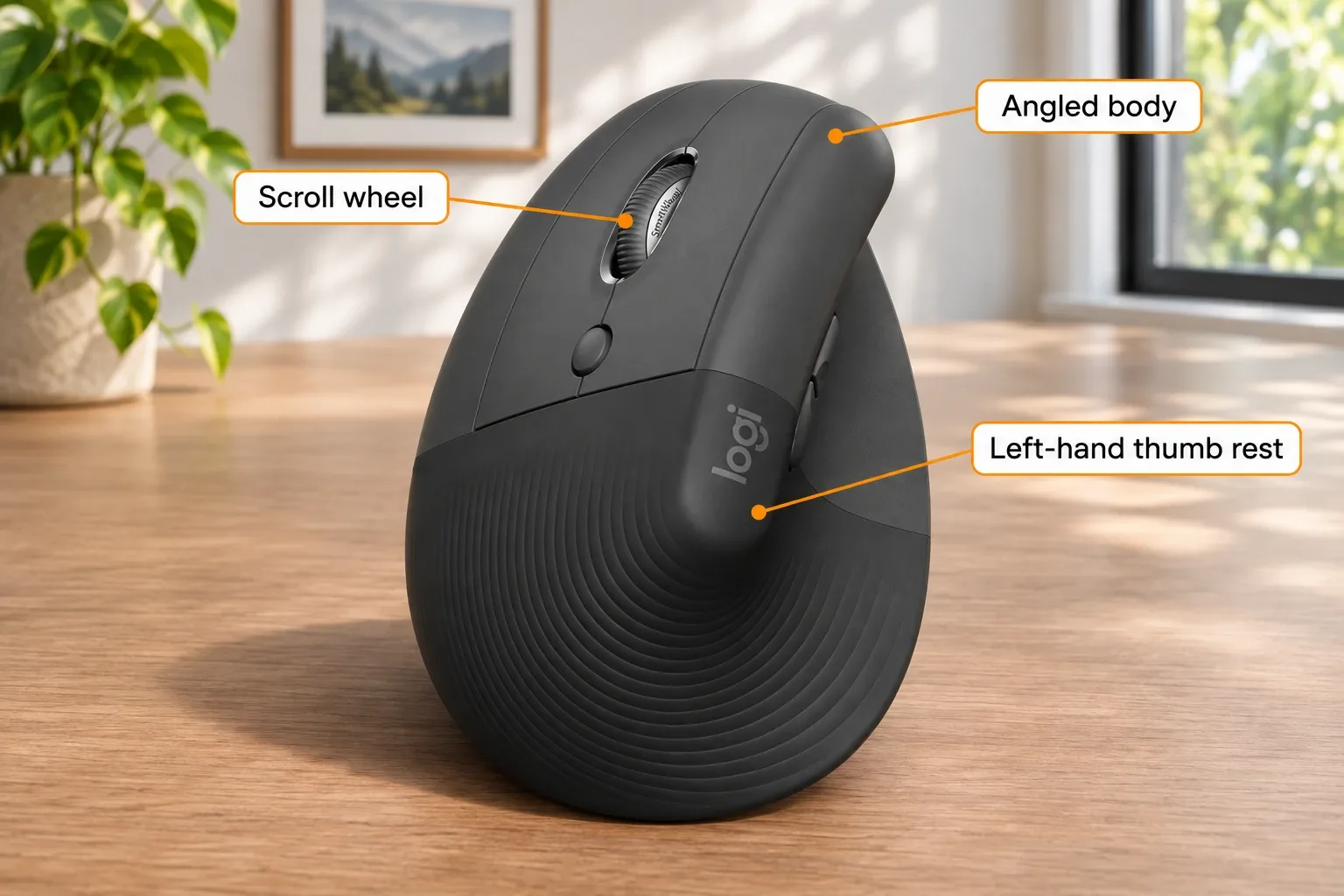
AI-generated illustration — Orange labels show the left-handed Lift body and controls in an enlarged view. Not a hands-on comfort or performance test.
Quick comparison: which setup fits your desk?
| Choice | Checked price status | Key distinction | Best for |
|---|---|---|---|
| Graphite Lift Left 910-006467 | $63.99 Amazon new offer | Left-hand sculpt; 108 × 70 × 71 mm manufacturer dimensions | Consistent left-hand mousing with small-to-medium hands |
| Regular right-hand Lift | Current Amazon offer not verified in this guide | Opposite sculpt and thumb-control arrangement | People intending to mouse with the right hand |
| A genuinely ambidextrous design | No specific new offer quoted | Shape intended for use on either side | Buyers who want to move one body between hands |
Only the first row is a checked Amazon purchase option here. The other rows explain the decision, rather than pretending their current ASIN, price, and stock were verified. A comparison of shapes does not require inventing a price winner.
Will the Lift Left feel too small?
Logitech explicitly positions Lift for small to medium hands. Its official dimensions are 108 mm by 70 mm by 71 mm, with a stated weight of 125 g. Amazon’s expanded description matched that metric size, but a separate measurement field showed 7.2 oz; we do not use that heavier number as a verified body weight.
Numbers help with desk planning, but they cannot establish whether the grip will fit you. Hand length, finger reach, and the way you hold a mouse all matter. If your fingers naturally extend beyond a short control area, a taller vertical shape alone will not necessarily solve that mismatch.
Before a gift purchase, find out what the recipient currently uses and whether they want to change hands at all. A surprise switch from a familiar flat mouse to a dedicated vertical left-hand body asks them to change both grip and coordination. A clearly stated return policy is more useful than a confident promise that they will adapt.
The manufacturer describes a 57-degree posture, but an ergonomic label is not a personal comfort guarantee. We did not measure wrist position or evaluate a health outcome. If the purchase is prompted by persistent pain, this article cannot determine the cause or prescribe an input device.

AI-generated illustration — Same user resting his left hand on the Lift Left mouse at a laptop. Not a hands-on comfort or performance test.
Why can the click layout surprise an experienced lefty?
Someone who has used a conventional mouse on the left side may have learned one click pattern. A purpose-built mirrored mouse can feel different even when its grip is welcome. The question is not whether either habit is correct; it is whether the new hardware behaves as expected in the applications you use.
Logitech’s August 13, 2026 left-handed mouse guide distinguishes dedicated left-hand shapes from ambidextrous designs. It is manufacturer guidance, not an independent comparative test. Check present configuration options for your OS rather than assuming an old comment describes the current software exactly.
If you work in virtual machines, remote sessions, or on a shared computer, consider those environments separately. A button assignment that feels right on your main desktop may need different handling elsewhere. We have not tested those combinations, so this guide does not promise per-device click remapping or a universal workaround.
What owners say about left-hand use
- Switching sides can work well. In a comment dated April 20, 2026, broslav reported owning both Lift versions and using them together with each hand’s index finger as the primary click. They liked the mirrored transition. This is one setup, not a compatibility guarantee.
- Fit and learned clicks can be dealbreakers. A Lift Left owner’s October 23, 2023 post described a cramped control area and frustration with the mirrored click layout and then-current configuration choices. The post does not identify today’s exact ASIN, and software may have changed; its fit and habit concerns remain useful shopping questions.
These experiences point in different directions without cancelling each other. One buyer already knew the Lift shape and liked changing sides; another wanted a larger usable control area and a different click arrangement. Neither experience establishes that left-handed people generally love or dislike the mouse, or that all current units share a defect.
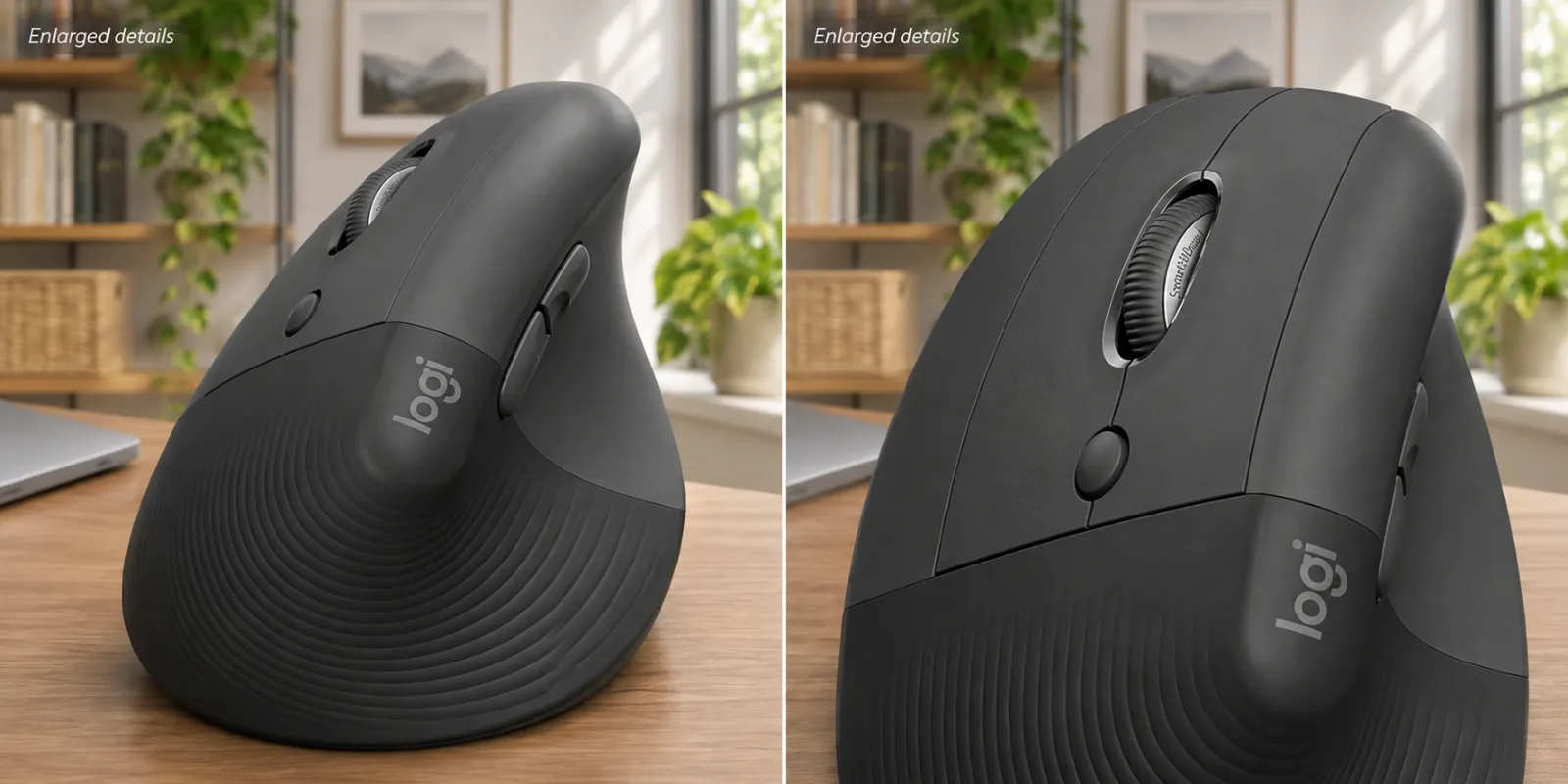
AI-generated illustration — Two enlarged details of the Lift Left thumb rest and scroll wheel. Not a hands-on comfort or performance test.
What stands out besides the shape?
The checked official specifications list Bluetooth Low Energy and an included Logi Bolt USB receiver, plus one AA battery. An AA-powered mouse can suit a desk where replacing a cell is easier than remembering to charge another accessory. The manufacturer’s up-to-24-month battery statement depends on use and computing conditions; we have not verified that duration.
The optional Logi Options+ app is documented for Windows and macOS. Other supported systems have qualifications around basic functions. Check your actual operating system and whether an available USB port or Bluetooth suits your setup, especially on a work computer where installing customization software may be restricted.
Do not buy a random Logitech receiver assuming it is interchangeable. The checked package specifies Bolt. If you are trying to consolidate several devices onto one receiver, confirm compatibility for each device rather than inferring it from a shared brand name.
Who should choose a different approach?
Skip Lift Left if one physical mouse must move freely between hands. Investigate an ambidextrous shape instead. Also pause if large-hand fit is already your main complaint; the same compact dimensions will not change because the listing says ergonomic.
Choose Lift Left if you intend to keep mousing on the left, want its dedicated sculpt, and accept that fit and click habits need checking. The verified graphite 910-006467 offer is the relevant model, not merely any graphite Lift search result.

AI-generated illustration — Same user with a graphite Lift Left beside the laptop. Not a hands-on comfort or performance test.
How we researched this
We checked the live Amazon offer and selected left-handed style, read Logitech’s current left-version specifications and family choices, and compared dated first-person discussions. We have not measured pointer accuracy, assessed long-term switch wear, or tested a medical benefit. Our comparison centers on hardware orientation, fit, connection requirements, and the limits of available evidence.
Pros
- + Dedicated left-hand shape and thumb controls
- + Bluetooth and included Logi Bolt receiver
- + AA battery rather than charging routine
Cons
- - Small-to-medium fit may feel cramped
- - Mirrored click layout can conflict with learned habits
- - Not an ambidextrous body
Sources and verification status
Verification status: compiled from public sources
Data updated:
Verified on:
FAQ
Can a right-handed Lift become a left-handed Lift in software?
No. Changing button assignments cannot mirror the sculpted body, thumb rest, or side controls. Logitech sells Lift Left as a separate physical version.
Which left-handed model was checked?
The checked Amazon offer was graphite Lift Left, model 910-006467, ASIN B09J1SYX5B. Confirm the selected style says left-handed; graphite color alone does not identify the handedness.
Is Lift Left suitable for large hands?
Logitech positions Lift for small to medium hands. A larger hand can find the button surface or grip cramped, so compare the shape and a return policy before committing.
Can I use left and right mice on one computer?
A dated owner report describes using both Lift versions simultaneously with each index finger operating its primary click. That is an individual setup, not a guarantee for every OS, remote session, or mouse combination.
Does Lift Left include a battery and USB receiver?
The checked manufacturer specifications and Amazon package information list one AA battery and a Logi Bolt receiver. The optional Logi Options+ customization app is supported on Windows and macOS; other listed systems have basic-function qualifications.
You might also like

Sports & Outdoors
Buying guideOsprey Daylite Sling: Left or Right Shoulder?
Sports & Outdoors
Product analysisFELCO 2 Review: A Gardener’s Gift Worth Getting the Hand Size Right
Replaceable parts make the FELCO 2 an appealing gift for a committed gardener. Its large, right-handed design is the detail to check before buying.