Leeboom Foldable Aluminum Laptop Stand Review: Travel Ready?
30-second verdict
Leeboom B08JQC7FQ1 suits travelers who will accept light wobble for pack size; heavy gaming decks still lean toward sturdier fixed risers.
Good for
- People using a laptop as the main display with neck strain
- Travelers who need the stand to vanish into a sleeve
- Buyers testing height before paying for a monitor arm
Not for
- Owners of very heavy gaming laptops needing zero flex
- Users whose external monitor already replaces the laptop screen
- People working only on soft mattresses
Buying Guide Notes · First published:
Compiled from public sourcesWritten using published specs and user feedback.

Sources and verification status
Verification status: compiled from public sources; not hands-on tested
Data updated:
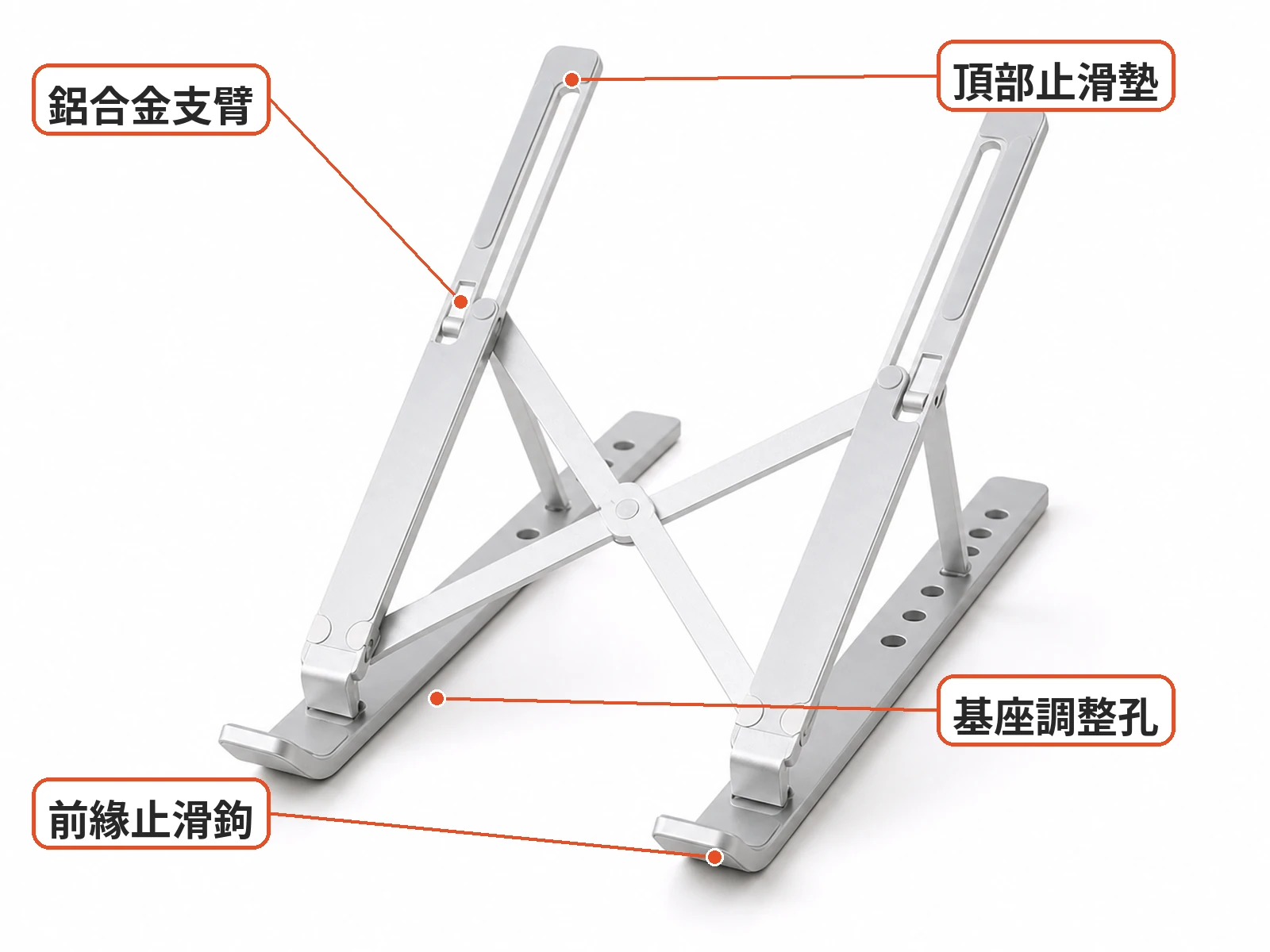
When a laptop screen sits too low, a portable stand can offer a way to raise it without committing to a permanent desk setup. The Leeboom foldable aluminum laptop stand, ASIN B08JQC7FQ1, has a silver X-frame, height-adjustment holes, front hooks and grey silicone pads. It folds into a slim bar and comes with a carry bag.

Its appeal is portability rather than a large, fixed base. Whether it works for a particular laptop depends on how the chassis sits on the hooks and how stable the frame feels on the intended desk.
Who Benefits Most From a Foldable Aluminum Laptop Stand?

This design is worth considering if your laptop is your main screen and you move between home, an office and other workspaces. The adjustment holes offer a choice of positions, while the folded shape is easier to pack than a fixed riser. A higher screen position does not guarantee a comfortable posture, though: desk height, seating and keyboard access matter too.
It may be less suitable for someone who needs a heavy gaming laptop to remain completely still, or who already relies on an external monitor as the primary display. Check the hinge and pads on arrival before leaving a laptop on the stand for an extended session.

Practical Take: Can It Raise a Laptop and Travel Easily?
A laptop stand review should address stability, contact points and packability. The Leeboom frame creates space beneath a laptop and can raise its screen, but published lab load charts and hinge-cycle data are not available in the supplied information. That makes a careful fit check important, especially with a heavier computer.

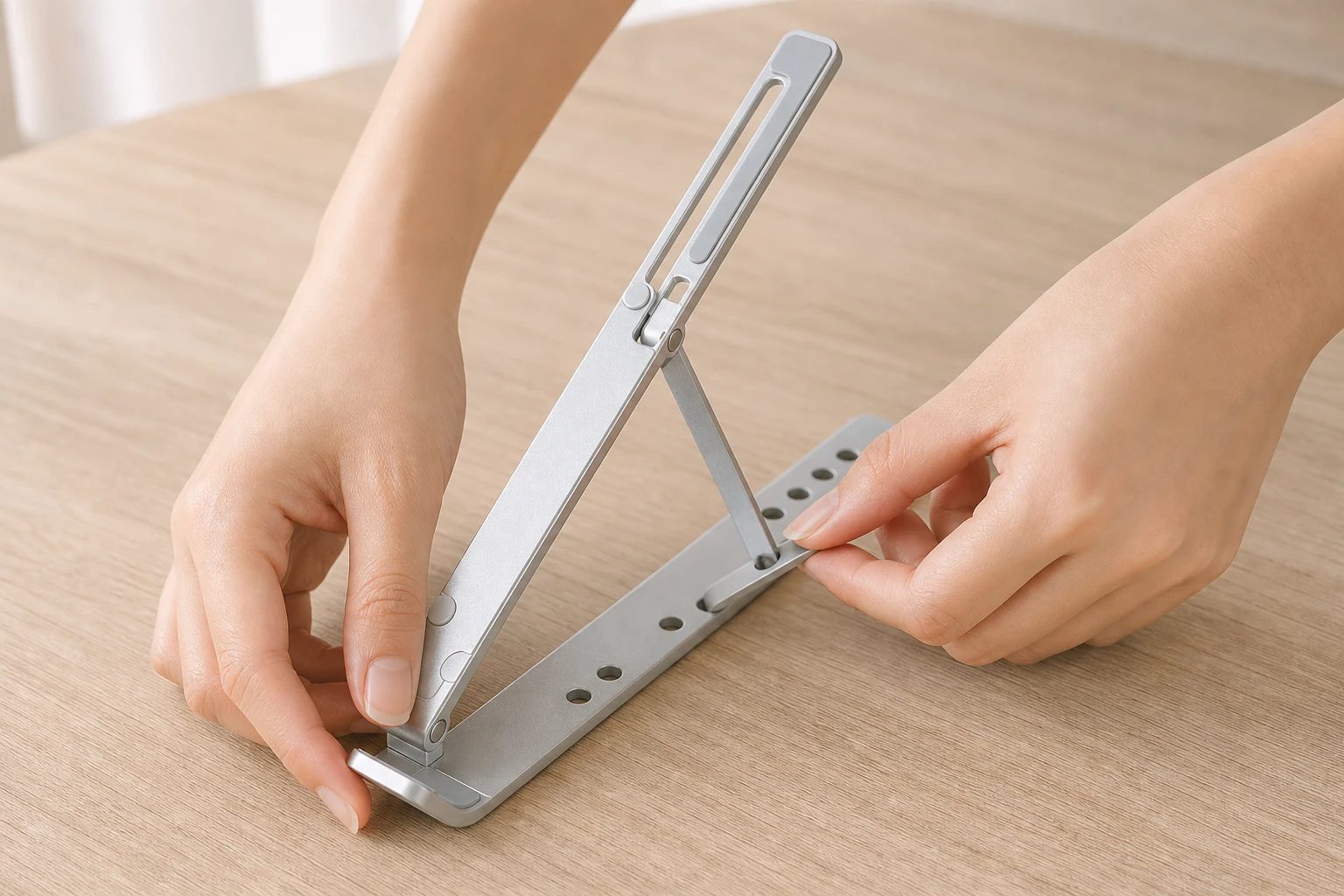
Seat the struts securely in matching base holes, center the laptop and make sure the front hooks support its front edge. Laptop feet and chassis shapes vary, so a similar screen size does not necessarily mean the same fit. Check for movement when typing before settling on an angle.
The open space under the laptop may help expose its underside to airflow, but cooling results depend on the computer and its vents. Make sure the frame does not obstruct those openings. Raising the laptop also changes the keyboard angle and cable reach, so consider whether an external keyboard or a longer cable is needed for your desk.
Inspect the silicone pads before placing the laptop on the frame. There is no published comparison of scratch risk across chassis finishes, so owners of glossy surfaces may want to inspect the contact points and consider a thin protective film.

The holes provide preset positions rather than continuous adjustment. Make sure each strut is properly seated, and watch your fingers around the hinge when folding. If a hinge is loose or a pad has detached, stop using the stand until the issue is resolved.
Try the folded stand in its carry bag and laptop sleeve before a trip, and check that the corners do not catch the lining. The supplied information does not specify the bag's material or water resistance. On a desk, use a flat, firm surface; a soft mattress can make a narrow folding base unstable. Side lighting may also reflect off the aluminum surface.
What Users Say
A Reddit r/digitalnomad discussion about portable laptop stands considers the trade-off between packing size and wobble. It is a discussion of portable stands, not a load test or a product-specific verification of the Leeboom model.

Similar Alternatives
- Fixed wooden or elevator risers suit a stationary desk but are less convenient to pack.
- Plastic folding stands offer another portable format; support and rigidity vary by design.
- An external monitor and monitor arm may suit a setup where the laptop is not the main screen, though they are less portable.

The Leeboom's folding design is most relevant when the stand needs to travel. For a permanent workstation, compare its adjustable positions and potential movement with the stability and desk space offered by a fixed riser.
Before You Buy
- Check your laptop's dimensions and weight, and make sure the front hooks can support its chassis. Published lab load data is unavailable.
- Inspect the hinge, struts and silicone pads; stop using the stand if parts are loose or damaged.
- Test the folded stand in its bag and your laptop sleeve, checking for snagging corners.
- Confirm the included accessories and the seller's return and warranty terms.

Specs
| Item | Detail |
|---|---|
| Product | Leeboom foldable aluminum laptop stand / riser with carry bag |
| Look | Silver sandblasted aluminum X-frame, base-rail holes, front hooks, grey silicone pads; folds into a slim bar |
| Common use | Raise laptop eye line and airflow; fold for travel |
| Sold / ratings | Amazon about 4.6★ from ~15,000 reviews at check time |
| Open gaps | Lab load charts, hinge cycle life, scratch risk by chassis finish |
Pros
- Folds into a slim shape for packing in the carry bag or a laptop sleeve.
- Base holes offer height adjustment and leave space beneath the laptop.
- Front hooks and grey silicone pads provide support and contact points.
Cons
- Heavy laptops or pressure on one side can still make the frame rock.
- Published lab load and hinge-cycle data are limited.
- Aluminum may reflect side lighting, and soft surfaces can reduce stability.
Where to Buy
FAQ
How heavy a laptop can the stand support?
Published lab load charts are unavailable. Check that the hooks support your laptop and that the frame remains stable on a firm desk; stop using it if the hinge is loose or support is insecure.
Do the silicone pads prevent all scratches?
The stand has grey silicone pads, but there is no published scratch-risk comparison for different laptop finishes. Inspect the pads and contact points before use.
Will it fit in a laptop bag when folded?
It folds into a slim bar and includes a carry bag. Bag compartments vary, so test the fit and check that the corners do not snag the lining.
Do I need a stand if I already use an external monitor?
If the external monitor is your main display, the stand may be more useful as a portable backup. It is worth considering when you also use the laptop screen regularly.

You might also like

Appliances
Product analysisFolding Travel Kettle Review: Packing, Odor and Voltage Tips
Explore this folding travel kettle's packing design, PTT reports on silicone odor and heater marks, plus voltage and shutoff.
NT$299
Tech & Gadgets
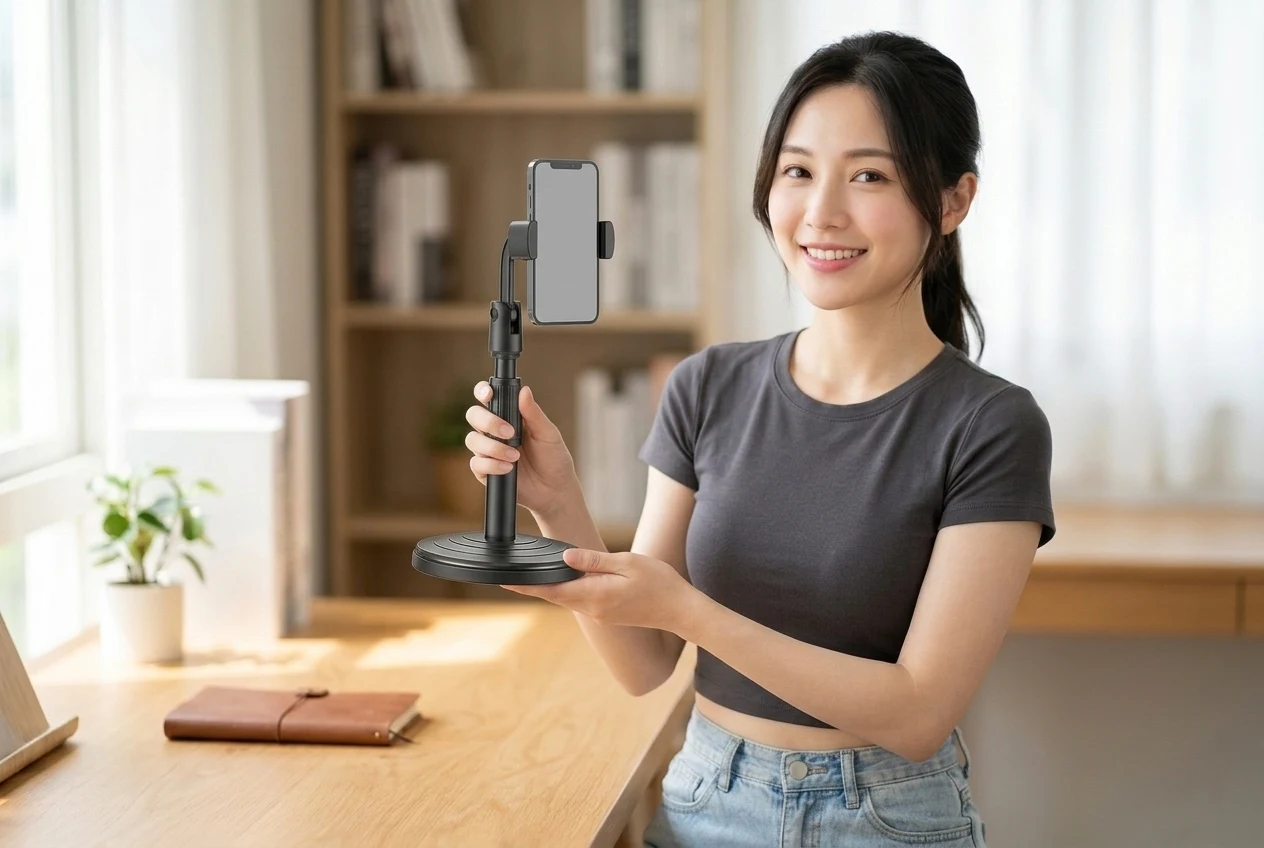
Product analysisDesktop Lift Phone Stand Review: Does It Wobble at Full Height?
Tired of a nodding phone stand? Match the black round-base lift pole and side clamp first.
NT$36

Sports & Outdoors
Product analysisCard-Style Folding Stool Review: Stable for Night Market Lines?
Queue-sore feet but hate hauling a moon chair? This card folding stool packs flat with a hand hole—think about stability and load before you buy.
NT$35

Pets
Product analysisCarbon Filter Pet Water Bottle Review: Will It Leak in Your Bag?
Bottle and kibble bag fighting for space? This one combines food, water, and a carbon filter; leak-test it at home before your first walk.
NT$80