FIFINE AM8 Mute Button in XLR: What Still Works?
Quick Verdict
Choose USB if you want the AM8 touch mute, front controls and headphone monitoring. Choose XLR only if you are comfortable handling mute, gain and monitoring through your interface or software.
Good for
- USB callers who want controls on the microphone
- Buyers starting with USB and planning an interface later
Not for
- XLR users who require this microphone’s touch mute
- Buyers expecting the stand bundle to include an XLR cable
Buying Guide Notes · First published:
Compiled from public sources · Written using published specs and user feedback.
As an Amazon Associate I earn from qualifying purchases.

Pros
- + USB and XLR connections support different desk setups
- + USB mode provides mute, gain and headphone controls
- + Desktop-stand package avoids buying a support immediately
Cons
- - On-mic controls and headphone monitoring are unavailable in XLR mode
- - An XLR setup needs an interface and separate cable
- - A lit microphone does not prove the selected recording path is muted
Sources and verification status
Verification status: compiled from public sources
Data updated:
The FIFINE AM8 mute button does not control the XLR connection. FIFINE reserves the microphone’s mute, gain controls, RGB functions and headphone monitoring for USB use; an XLR setup moves those responsibilities to your interface, mixer or recording application. Buy it for USB convenience or connection flexibility, but skip it if your essential requirement is an on-microphone mute that works through XLR.
Checked November 14, 2026. This guide is compiled from public sources, not a hands-on recording test. The black desktop-stand AM8, ASIN B0BMFQP2ZZ, showed a new $56.99 offer, sold by Fifine shop and shipped by Amazon. Its displayed 4.5-star score and 12,445 ratings describe the listing, not an independent sound-quality measurement. Offers and pooled review counts can change.
AI-generated illustration — Black AM8 desktop-stand example; not a recording test.
What changes when you switch from USB to XLR?
The sockets provide two ways to send a microphone signal, but they do not preserve identical controls. This is the detail that can turn a seemingly simple upgrade into an inconvenient desk setup.
| Setup | Checked microphone price | Controls and monitoring | Best for |
|---|---|---|---|
| AM8 over USB | $56.99; stand package | On-mic mute, gain, headphone level and monitoring available | Calls and straightforward computer recording |
| Same AM8 over XLR | Same microphone; interface and cable cost extra | Use interface/mixer gain, monitoring and available mute controls | Someone already committed to an interface workflow |
| Keep USB rather than adding an interface | No additional interface purchase | Preserves the on-mic USB controls | Buyers whose main priority is a convenient mute |
These are connection choices for one microphone, not three products or a claim that XLR necessarily sounds better. We did not measure noise, latency or audio differences between the paths. The useful comparison is whether the controls you reach for every day remain available.
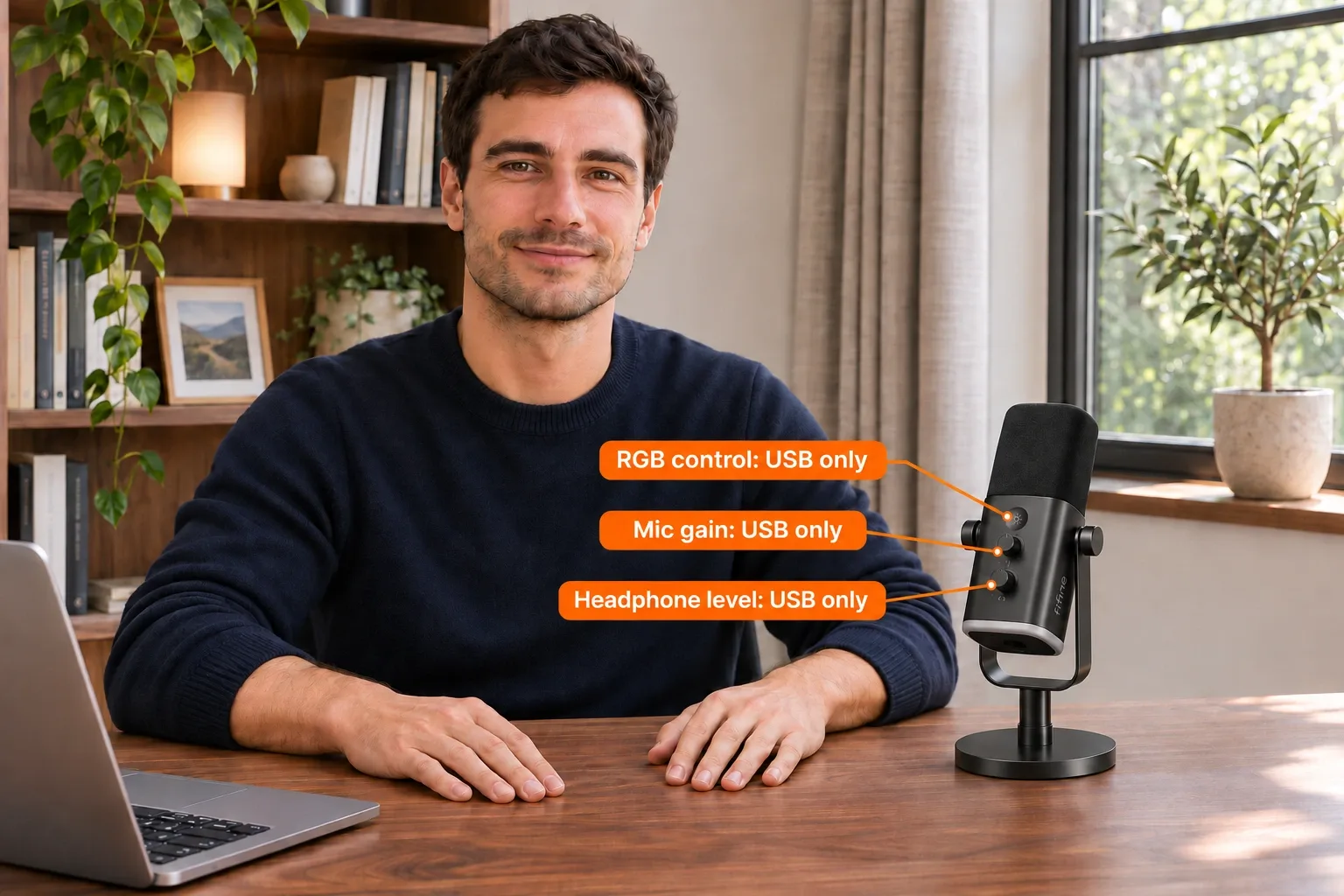
AI-generated illustration — Front RGB, microphone gain and headphone-level controls are USB-only; the sun-icon control is not the touch mute.
Why does the mute button seem to stop working?
FIFINE’s January 6, 2026 support article explicitly places the AM8 controls in the USB-only category. Its product page gives the same restriction for XLR. An inactive on-mic mute in an XLR setup therefore matches a documented limitation; it is not, by itself, evidence of a defective microphone.
That distinction also prevents the wrong purchase. If you already own the AM8 and your only complaint is losing touch mute after moving to an interface, buying another AM8 will not add that missing XLR function. Review the controls on the interface or in your application instead.
Do not use the microphone’s lights as a privacy indicator for a separate XLR path. An accessory being illuminated does not establish which input your call or recording application is receiving. Check the selected source and the mute state in that actual path before relying on it.
Can you power USB and still mute the XLR signal?
Do not assume that adding USB power changes FIFINE’s XLR restriction. The manufacturer does not promise that its USB controls become universal controls for the analog output. Buying a second cable just to make the lights appear is not a documented solution to this requirement.
Treat USB and XLR as distinct input routes when planning the setup. If your meeting application receives an interface input, the relevant mute must affect that input. If the application receives the USB AM8, the USB control set is the relevant one. This is a routing check, not a recommendation to wire every available socket at once.
For a buyer, the practical question is simple: where will you reach to mute? If the answer must be “on this microphone,” USB is the documented choice. If you prefer a mixer or software control, XLR can still make sense.

AI-generated illustration — Illustrative desk arrangement; no audio or mute performance was tested.
Which features do you keep over USB?
USB is the more self-contained version of the AM8 experience. FIFINE lists a touch mute, microphone gain adjustment, headphone volume, headphone monitoring and RGB control. Those functions are useful because they reduce the number of separate pieces needed on a basic recording desk.
The front sun-symbol button controls RGB; it should not be mistaken for the touch mute. Likewise, the microphone-gain and headphone-level knobs serve different purposes. Turning down headphone playback is not the same thing as stopping the microphone signal going to another person.
This makes USB the sensible starting point for someone giving the microphone as a gift. The recipient can use the supplied USB cable and stand without first choosing an interface. It still helps to check their computer connections and intended application before purchase; connection flexibility is not a promise that every phone, adapter or console works identically.
What must an XLR buyer budget for?
The standard black AM8 package checked here includes the desktop stand and USB cable. FIFINE says an XLR cable is not included. An XLR recording setup also needs a suitable interface or mixer, so the displayed microphone price is not a complete system budget.
Do not confuse this offer with the AM8T boom-arm kit, another color bundle or a newer model carrying a similar name. An attractive photograph of an arm elsewhere on a shared product page does not establish that the desktop-stand ASIN includes one.
Before choosing an interface, inspect its own controls. A convenient monitor knob is not automatically a microphone mute, and software muting may affect only one application. Buy the control arrangement you actually need rather than assuming all interfaces provide a dedicated physical switch.
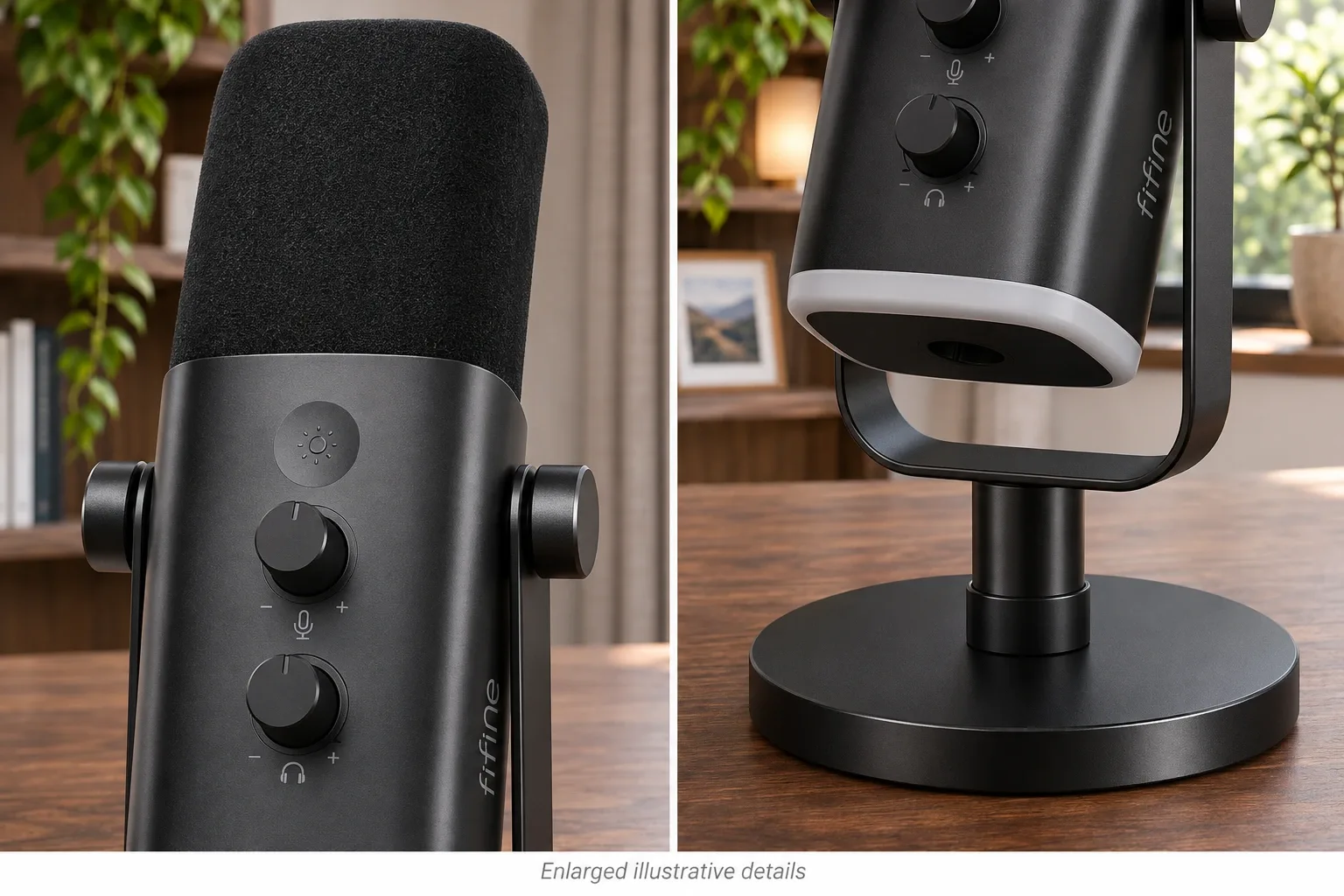
AI-generated illustration — Enlarged exterior details; consult FIFINE’s documentation for controls and connections.
What stands out, and where does it fall short?
The AM8’s useful feature is the option to start with USB and retain XLR as a later connection choice. That can suit someone exploring recording without committing to an interface immediately. The included stand also keeps the first purchase relatively straightforward.
The drawback is that the upgrade changes the workflow. You cannot carry the USB control experience into XLR unchanged. Losing on-mic monitoring and controls may matter more to a caller than the extra connection option helps.
FIFINE’s brand listing gives assembled dimensions of 3.35 × 4.96 × 9.65 inches. We used that listing scale when preparing the illustrations; it is not our own measurement. The images are illustrative desk scenes, not evidence that we recorded with the microphone or tested its mute behavior.
What owners say about the control trade-off
- XLR frustration: On October 8, 2025, Reddit user yellowroll described the control not working or lighting in XLR mode. The original post body is now deleted, but this comment remains visible. It illustrates the usability concern, not a defect rate for the current ASIN.
- The restriction is documented: In the same thread on October 8, 2025, shashunolte pointed to the manual’s USB-only limitation. This is a correction within one discussion, not a second independent ownership test. We excluded contradictory speculation about powering or repairing the microphone.
- Positive setup experience, different bundle: A verified-buyer review by Layla on January 27, 2025, on FIFINE’s product page, described a satisfactory home setup after adjusting gain and positioning. It refers to a microphone-and-boom set, so it cannot establish the desktop stand’s quality or prove XLR mute works. It is brand-hosted feedback, not independent testing.
Who should buy it, and who should choose another approach?
Choose the AM8 if you want a USB desk microphone now and value keeping an XLR option for later. It is also reasonable for an existing interface user who accepts controlling the signal elsewhere and has accounted for the extra cable.
Skip it if a working XLR touch mute is non-negotiable. Compare an alternative microphone’s exact manual or choose an interface with the input-muting behavior you require. We have not verified a particular replacement microphone as an equivalent, so we will not present an unverified alternative as a guaranteed fix.
For many buyers, the cheaper alternative is simply to keep using USB. A change to XLR should solve a real setup need rather than remove your most-used control.

AI-generated illustration — Same AM8 desk example, scaled from the brand listing’s dimensions.
How we researched this guide
We checked the current Amazon offer and bundle, FIFINE’s product specifications and dated support guidance, and the linked public discussion. We compared connection behavior and buyer requirements, not recorded samples. Community comments were kept separate from manufacturer specifications, with bundle and deleted-post limitations noted.
Sources: FIFINE AM8 product and package details; FIFINE USB/XLR control explanation, January 6, 2026; checked Amazon desktop-stand offer.
FAQ
Does the FIFINE AM8 mute button work through XLR?
No. FIFINE says its function keys and headphone monitoring are USB-only. Mute the XLR recording path using a suitable interface control or the application receiving that signal.
Will connecting USB power make the XLR mute button work?
Do not rely on it. FIFINE’s published restriction applies to the XLR connection. Confirm muting at the actual interface or software input; an illuminated microphone is not confirmation that an XLR feed has stopped.
Are the front gain and headphone knobs available in XLR mode?
No. The manufacturer places those controls and on-mic headphone monitoring in the USB-only group. In XLR mode, use the gain and monitoring facilities of your interface or mixer.
Does ASIN B0BMFQP2ZZ include an XLR cable or boom arm?
The checked black AM8 desktop-stand package includes a USB cable and stand. It is not the AM8T boom-arm kit, and FIFINE says the XLR cable is not included in this standard package.
Is an inactive mute button proof that my AM8 is broken?
Not when you are recording over XLR: that limitation is documented. If the control fails while the actual input is USB, that is a different troubleshooting situation; check the connection and seek manufacturer support rather than treating this guide as a diagnosis.