POLYWELL Dual-Interface Card Reader Review: USB-A Plus Type-C, Do Both Ends Work?
Shop Owner's Review ·
Compiled from official specs and user feedback.
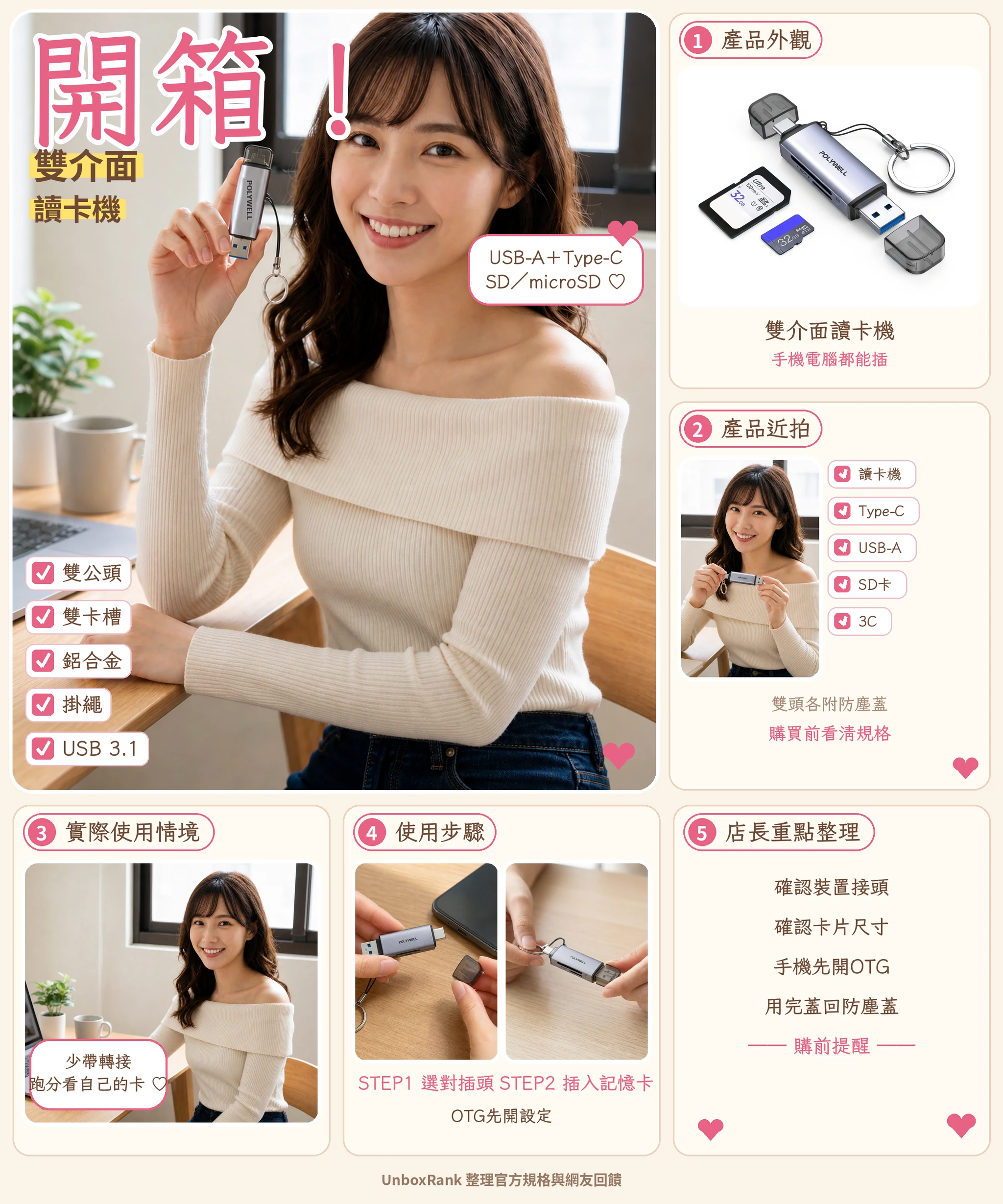

Price updated 2026/11/04. Actual price is subject to the Shopee listing.
Where to buy
Need to move camera cards to a laptop and a phone? The POLYWELL card reader has USB-A on one end and Type-C on the other. Check the slots and ports first, then think about speed.
Price updated 2026/11/04. Actual price is subject to the Shopee listing.
Please check Shopee/Amazon for current prices. Disclosure
You bring home a camera or dashcam memory card, and your laptop only has Type-C while your desktop only has big USB-A ports. Once that happens a few times, you start looking at dual-interface card readers. The first thing to confirm: can one reader plug into both USB-A and Type-C? This review pulls together the POLYWELL dual-interface card reader's specs, buying tips, and what users say, so you can check before you order.
Two plugs: what USB-A and Type-C each connect to
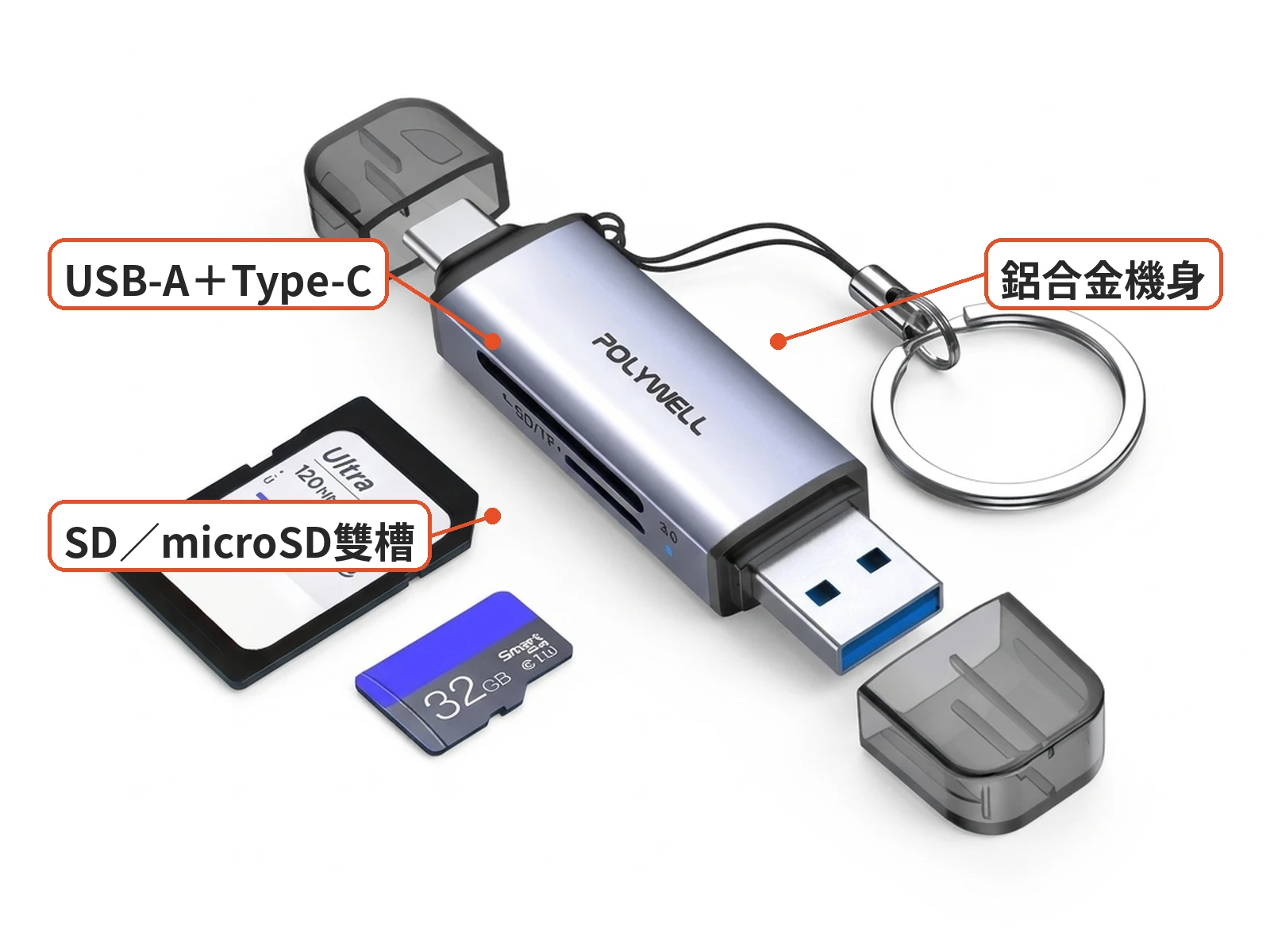
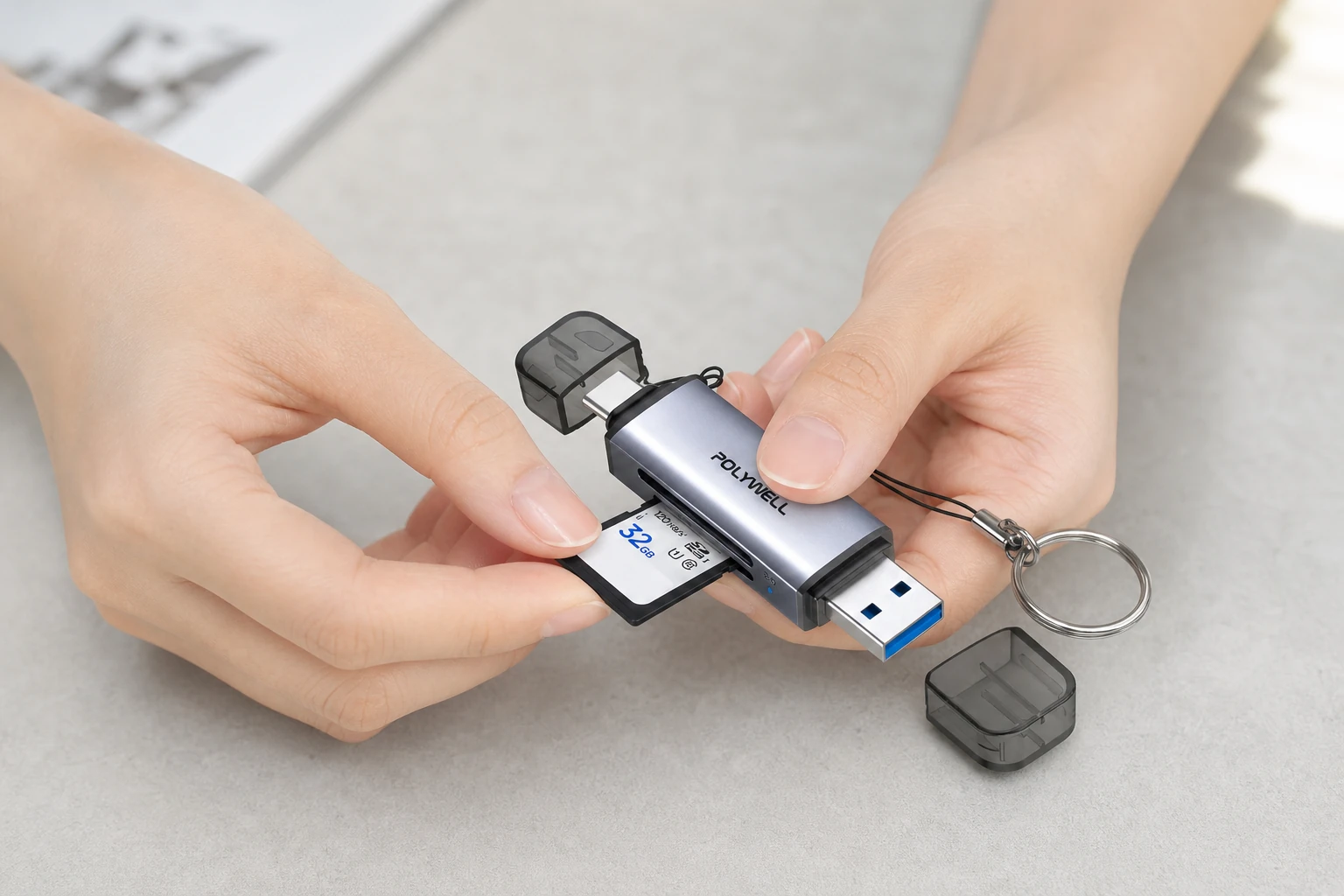
This review covers a common POLYWELL dual-interface card reader on Shopee. The product photos show a silver-gray aluminum body with USB-A on one end and Type-C on the other, SD and microSD slots on the side, a smoky clear dust cap, and a lanyard key ring. The memory cards in the photos are props and not included.
Two plugs mean no extra adapter: USB-A goes into a desktop or older laptop, Type-C into a newer laptop, tablet, or phone. You use one end at a time.
When buying, check three things: it really has two plugs, it has both SD and microSD slots, and the casing says USB 3.x rather than only USB 2.0. If your laptop is Type-C only, make sure you are not buying an older USB-A-only model. POLYWELL's website also lists a three-in-one model with a built-in hub; it looks different, so don't confuse it with this dual-slot reader.

Do both ends work? Computers and phones separately
On a computer, most Windows and macOS systems show the card as a drive, and you copy files in File Explorer or Finder. On a phone, Android usually needs OTG turned on in settings first; Type-C iPhones (iPhone 15 and later) can read it in the Files app. Check the description for supported systems.
The most practical test on arrival is a read and write with your own SD and microSD cards, on both computer and phone. Keep a screenshot of Device Manager or Disk Utility; if something goes wrong, it is clearer than describing it later.
Don't judge speed by the title: the card and port set the limit
The title says USB 3.1 high-speed, but real speed is limited by three things at once: the memory card's grade, the reader's chip, and the computer port. If any one of them is slow, the whole transfer slows down.
So rather than treating the theoretical peak as what your card will reach, check your card's grade and whether your computer port is USB 3.x. There is no public benchmark for this model, and readers in this price range often vary a lot in tests.

Who it suits
It suits people who switch between desktop and laptop ports, often copy camera or dashcam footage, and want one less adapter. It is not for anyone who treats "high-speed" as a guarantee of 100 MB/s or more, or who needs UHS-II or a multi-slot professional copy station.
The lanyard clips onto a key ring for easy carrying, but don't leave it hanging in a hot car all summer; the heat is hard on electronics and the plastic cap.
Alternatives
- Lexar RW310: plenty of dual-interface test threads on Mobile01, often used as the benchmark in this price range.
- Kingston MobileLite series: widely discussed brand readers; some models only have a microSD slot.
- Transcend RDF5 / RDF9: long-running multi-card readers with different ports and card support than slim dual-plug readers.

What users say
We found no long review of this POLYWELL model. These are discussions of card readers in general: PTT card reader picks, Mobile01 SD / MicroSD tests, Mobile01 card reader roundup. The shared advice: dual plugs are handy, speeds in the same price range vary widely, and the card-and-reader pairing affects results. One PTT list also mentions POLYWELL's dual-plug model. These are experiences with similar products, not results for this one.
Pre-order checklist
- Check the look: silver-gray aluminum body, USB-A on one end, Type-C on the other, SD / microSD slots, clear dust cap, and lanyard.
- Check for USB 3.1 / 3.0 and dual-interface markings; memory cards are not included.
- If your laptop is Type-C only and your desktop USB-A only, choose a dual-plug reader, not a single plug plus adapter.
- Check the description for phone OTG and iPhone Files app support.
- Confirm warranty and BSMI marking on Shopee.
- On arrival, check that both plugs are firm, the cap is included, and your computer reads the card; use Shopee returns if it cannot read cards at all.
Bottom line
The POLYWELL dual-interface card reader suits people who need both USB-A and Type-C and want to carry fewer adapters. Both ends work, one at a time; real speed depends on your memory card and port. Confirm it is the dual-plug, dual-slot version before ordering, and test it with your own cards when it arrives.
Specs
| Item | Details |
|---|---|
| Product | POLYWELL USB 3.1 dual-interface SD / microSD card reader |
| Look | Silver-gray aluminum body, USB-A + Type-C plugs, smoky clear dust cap, side card slots, lanyard key ring |
| Interface | USB 3.1; SD and microSD (body marked SD / TF) |
| Advertised features | Two plugs with no adapter needed, plug and play, lanyard included |
| Price | About NT$300 (may change during promotions) |
| Sold | About 10,000+ |
| Not stated in description | Full model number, chip, measured read/write speed, simultaneous dual-card reading, max capacity, warranty details |
Pros
- USB-A and Type-C plugs, so switching between desktop and laptop needs no adapter
- SD and microSD slots read both camera and dashcam cards
- About NT$300 with 10,000+ sold, easy to compare among dual-interface readers
Cons
- "High-speed" does not mean your card will pass 100 MB/s; the card and port set the limit
- POLYWELL also sells a USB 3.0 dual-plug model and a three-in-one hub model, so titles are easy to mix up
- The chip, full model number, and phone OTG support are not clearly stated
Where to buy
About NT$300 with 10,000+ sold, it is easy to compare as a dual-plug reader around this price; if you need published benchmarks, look at better-tested brands like Lexar.
NT$300 | See the lowest price →
UnboxRank compiles official specs and user feedback.
Some images are AI-generated illustrations
FAQ
Do both USB-A and Type-C really work?
Yes, it has two plugs: USB-A for computers and Type-C for newer devices, used one at a time. Whether a device recognizes the card still depends on the device.
Can a phone read a dashcam card directly?
Android usually needs OTG turned on first; iPhone 15 and later can use the Files app. Check the description for supported systems and test it on arrival.
Will it reach the advertised USB 3.1 speed?
Speed is limited by the memory card, the reader's chip, and the computer's port together, and readers in this price range vary a lot in tests. Don't rely on the word "high-speed."
Can it read SD and microSD at the same time?
The description doesn't say. Use one card at a time or ask the seller.
Is this the official brand store?
This review does not treat it as an official flagship store. Check the seller and warranty on Shopee.
Related articles

Tech & Gadgets
Shop owner's pickUSB Bluetooth 5.0 Adapter Review: Plug Into a Desktop and Pair Right Away?
Desktop missing Bluetooth? This adapter is printed V5.0, so ignore the 5.3 in the title, and make sure you are not buying an audio transmitter.

Tech & Gadgets
Shop owner's pickiPhone Camera Base Film Review: Not a Lens Cap—Case Fit?
A camera-base film is not a lens-glass sticker; case clash and frame scratch care still need the right model cut and shell holes.

Tech & Gadgets
Shop owner's pick1260° Dash Clip Phone Mount Review: Will It Block Your View, and How Do You Set It Up to Stay Steady?
Dash-clip mounts skip the vent, but sightline block and grip still depend on your instrument-hood shape.

Tech & Gadgets
Shop owner's pickZSync Car Bluetooth Receiver Review: No Bluetooth in an Older Car, Will an AUX Dongle Hiss?
For cars without Bluetooth, AUX receiver stability and noise matter more than a shiny alloy shell.
Some images are illustrative.