OXO Sweep & Swipe Adds a Screen Pad to the Desk-Dusting Routine
Buying Guide Notes · First published:
Updated
Compiled from public sources · Written using published specs and user feedback.
As an Amazon Associate I earn from qualifying purchases.

Pros
- + Brush and microfiber pad combine dusting and smudge cleaning
- + Retractable bristles and a cap protect the cleaning ends
- + Reusable tool with manufacturer cleaning instructions
Cons
- - Broad cleaning ends are less targeted than a slim silicone crevice tip
- - The pad and bristles need cleaning and drying between uses
- - No disinfecting performance or universal screen-coating compatibility established
Sources and verification status
Verification status: compiled from public sources
Data updated:
Verified on:
Source-based product analysis
Quick Verdict
Choose the OXO Sweep & Swipe if fingerprints on the screen bother you as much as crumbs around the keyboard. It combines a broad brush with a microfiber pad in one small tool. That makes it a practical candidate for routine desk upkeep, especially if a separate cloth keeps disappearing into your laptop bag.
It is less compelling if you already have a clean microfiber cloth and mainly need to reach narrow gaps. In that case, OXO's slimmer Electronics Cleaning Brush is worth comparing. Our recommendation is based on the designs and instructions below; we have not tested either tool ourselves.
Sweep & Swipe vs. OXO Electronics Cleaning Brush
The choice is about the second cleaning end. Sweep & Swipe gives you a shaped microfiber pad for smudges and fingerprints. The Electronics Cleaning Brush uses a slim silicone wiper to work around keyboard keys and screen edges. Both include retractable bristles and a protective cap, according to OXO's product descriptions.
For a laptop that needs both light dusting and a screen wipe, we would start with Sweep & Swipe. For small crevices, the silicone tip is the more relevant feature. This is a comparison of intended uses, not a timed cleaning test or a claim that one removes more dirt.
Compare the official Electronics Cleaning Brush description.
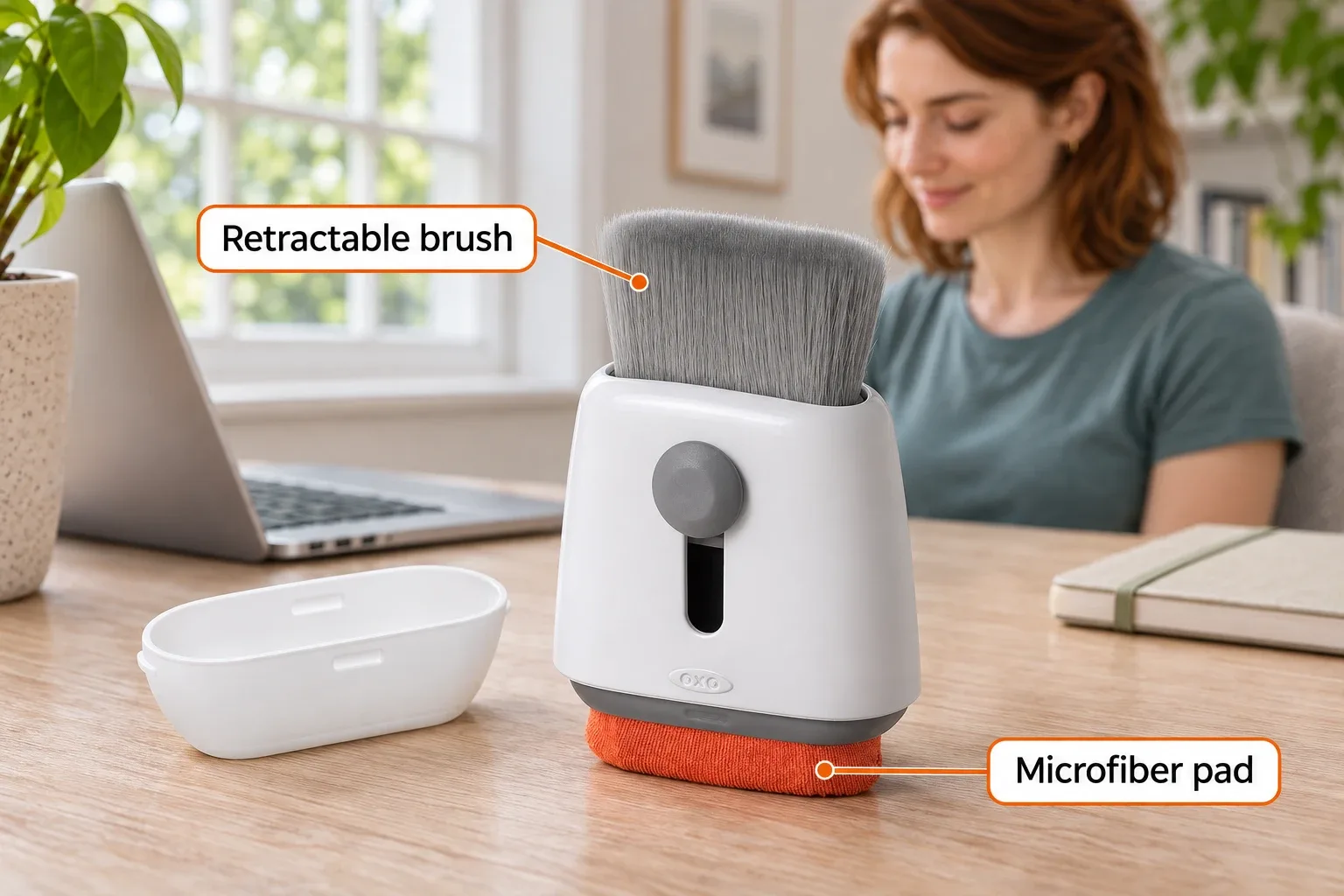
AI-generated product illustration.
What Stands Out
Two surfaces, one tool
OXO describes the brush as a way to sweep away dirt and crumbs, and the microfiber end as a way to tackle oils, fingerprints and smudges. The pad is shaped to reach corners. The retractable brush and cap protect the cleaning ends between uses.
Keeping those tools together is the appeal. Before buying, ask whether you actually need both. A good cloth you already own may cover the screen-cleaning part of your routine.
OXO Sweep & Swipe product details.

AI-generated usage illustration, not a test photograph.
The cleaner needs care, too
OXO says to spot-clean the microfiber with warm water and mild soap, blot away moisture and air-dry it. For the bristles, its instructions call for a warm-water rinse, gentle moisture removal, reshaping and drying with the brush extended. Leave time for that upkeep rather than putting a damp tool straight into a bag.
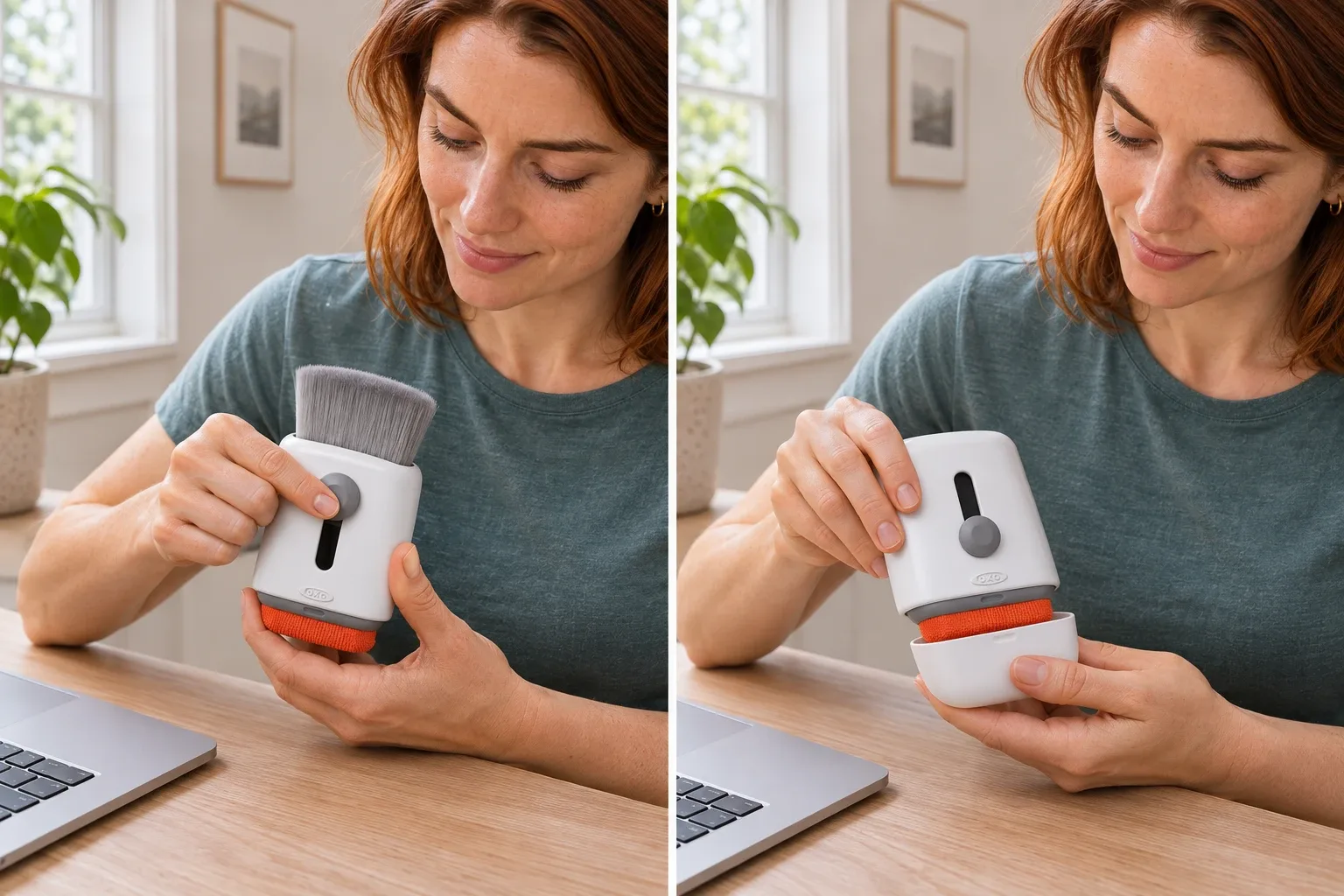
AI-generated detail illustrations.
Where It Falls Short
A brush and pad do not make this a complete electronics-maintenance kit. We would treat it as an accessible-surface cleaning tool, rather than a solution for internal dust, damaged screen coatings or a sticky spill under the keys. This guide does not establish disinfecting performance or compatibility with every display coating.
OXO's general computer-cleaning guide says to turn devices off, disconnect power and let surfaces dry before reconnecting. It also warns against spraying liquid directly onto a computer screen. For your particular device, check its manufacturer's cleaning instructions before choosing a method or liquid.
Who It's For
Picture a home-office worker clearing a few crumbs before closing the laptop, then dealing with visible fingerprints before the next workday. That short, repeatable routine is the use case behind our recommendation. A commuter may also appreciate keeping a brush and pad together rather than packing separate loose tools.
Skip it if your main problem is tight crevices and you already have a suitable screen cloth. Consider the slimmer brush instead. If you need to clean under keycaps, inside a computer or around damaged parts, use device-specific guidance rather than inferring that a general-purpose accessory will be suitable.
Product illustrations are AI-generated.

How We Researched This
We checked the Amazon.com listing for ASIN B07W1L7TCF, OXO's product descriptions and the brand's computer-cleaning guidance on November 9, 2026. We did not unbox or test a physical unit. All cleaning-performance descriptions are attributed to the manufacturer; the buying recommendation is our interpretation of the stated designs. AI-generated scenes illustrate intended uses and are not test evidence.
Sources
Price and Purchase
See the current offer on Amazon. Price, seller, shipping and availability can change; check the exact listing before ordering.
FAQ
What are the two cleaning ends for?
The brush sweeps loose dust and crumbs, while the microfiber pad addresses fingerprints and smudges. This is an accessible-surface cleaning tool, not an internal computer-cleaning kit.
Does it reach the same spaces as OXO’s Electronics Cleaning Brush?
Not in the same way. Sweep & Swipe has a microfiber pad; the separate Electronics Cleaning Brush has a slim silicone wiper for smaller gaps. Choose according to the surfaces you need to reach.
How should the microfiber pad be cleaned?
OXO specifies spot-cleaning with warm water and mild soap, blotting away moisture and air-drying. Do not put the tool away damp.
How should the brush be cleaned and stored?
Rinse the bristles with warm water, gently remove moisture, reshape them and let them dry with the brush extended. Retract the dry brush and replace the protective cap for storage.
Can I assume it is safe for every laptop screen?
No. Check your device manufacturer’s cleaning instructions, especially for coated displays. Turn the device off and disconnect power before cleaning; do not spray liquid directly onto the screen.
Price and purchase links
You might also like

Electronics
Product analysisRain Design mStand Review: A Cleaner Laptop Desk—If Fixed Height Works for You
The original silver mStand makes most sense for a laptop that usually lives on one desk with a separate keyboard and mouse.

Home & Kitchen
Product comparisonOwala FreeSip vs HydroJug: Bag or Desk Bottle?
Compare Owala FreeSip 24 oz and HydroJug Traveler 32 oz for bags and desks: covered spouts, handles, cleaning, capacity, and limits of leakproof claims.

Electronics
Product analysisBluelounge CableDrop Review: Stop Fishing for Cords Behind Your Desk
A small desk upgrade for keeping loose charging leads within reach. We examine the black two-pack listing, cable-fit differences and the adhesive trade-off.

Home & Kitchen
Product analysisClover Desk Needle Threader Review: Check the Needle Before Buying the Gift
A small tabletop helper for compatible hand-sewing needles, with a narrower compatibility range than some retail descriptions suggest.