ANENG Monitor Light Bar Review: 33cm or 50cm?
30-second verdict
Bright screen, dark desk? Pick the right length and make sure the clamp clears your webcam before buying this ANENG light bar.
Who is it for?
Good for renters, dorm desks, and small desks with no room for a lamp, for typing, reading, or streaming at night.
Not ideal for curved monitors or thick backs that won't hold the clamp, or for anyone who wants auto-dimming or a wireless dial.

Buying Guide Notes ·
Compiled from public sourcesCompiled from official specs and user feedback.

Pros
- Two lengths, 33cm and 50cm, to match your screen
- Type-C power, no extra outlet needed
- About NT$259, a low-cost way to try a monitor light
Cons
- No public brightness, flicker, or CRI data
- The clamp may cover a top-edge webcam; curved or thick monitors may not hold it
- Sold by a reseller; check warranty and returns on the listing
Price and purchase links
Bright screen, dark desk? Pick the right length and make sure the clamp clears your webcam before buying this ANENG light bar.
Price updated 2026/11/04
Where to buy
The ANENG monitor light bar sells for about NT$259, with about 6,000+ sold. Prices change often, so recheck the amount and length option at checkout.
NT$259 | See the lowest price →
UnboxRank compiles official specs and user feedback.
Some images are AI-generated illustrations
Specs
| Item | Detail |
|---|---|
| Product | ANENG LED monitor light bar |
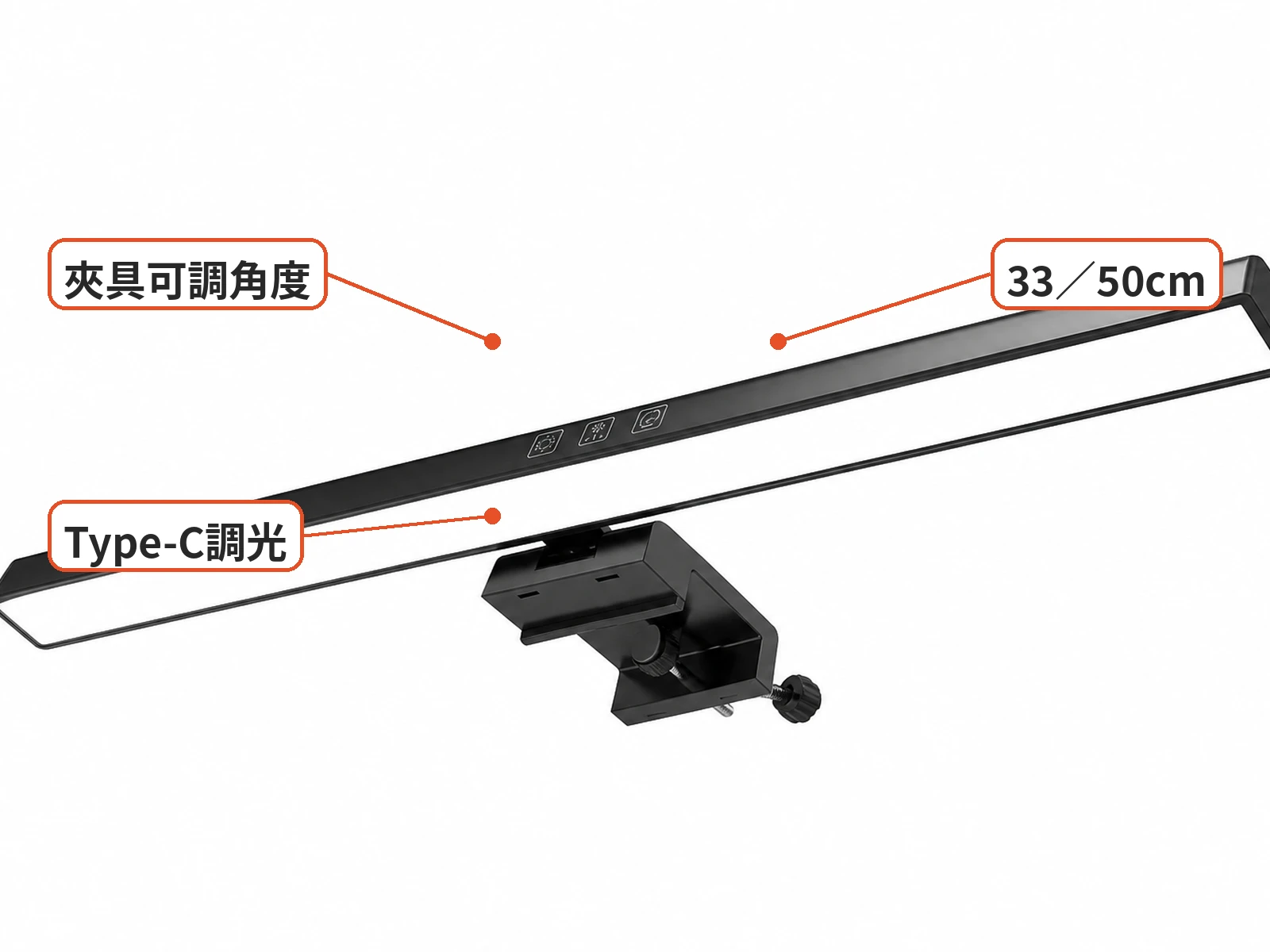
| Look | Slim black bar, light faces down; black clamp with knob |
| Length | 33cm / 50cm |
| Power & dimming | Type-C, stepless dimming, three color modes (per listing) |
| Typical use | Mounted on a monitor or laptop top edge for desk light |
| Price | About NT$259; prices change often |
| Sold | About 6,000+ |
| No public data | Lux, flicker, CRI, clamp range |
The room is dark, the screen is bright, and a desk lamp just throws a white streak across the display. Anyone eyeing the ANENG monitor light bar usually gets stuck on two questions: 33cm or 50cm, and will the clamp block the webcam?
What does the ANENG light bar look like?
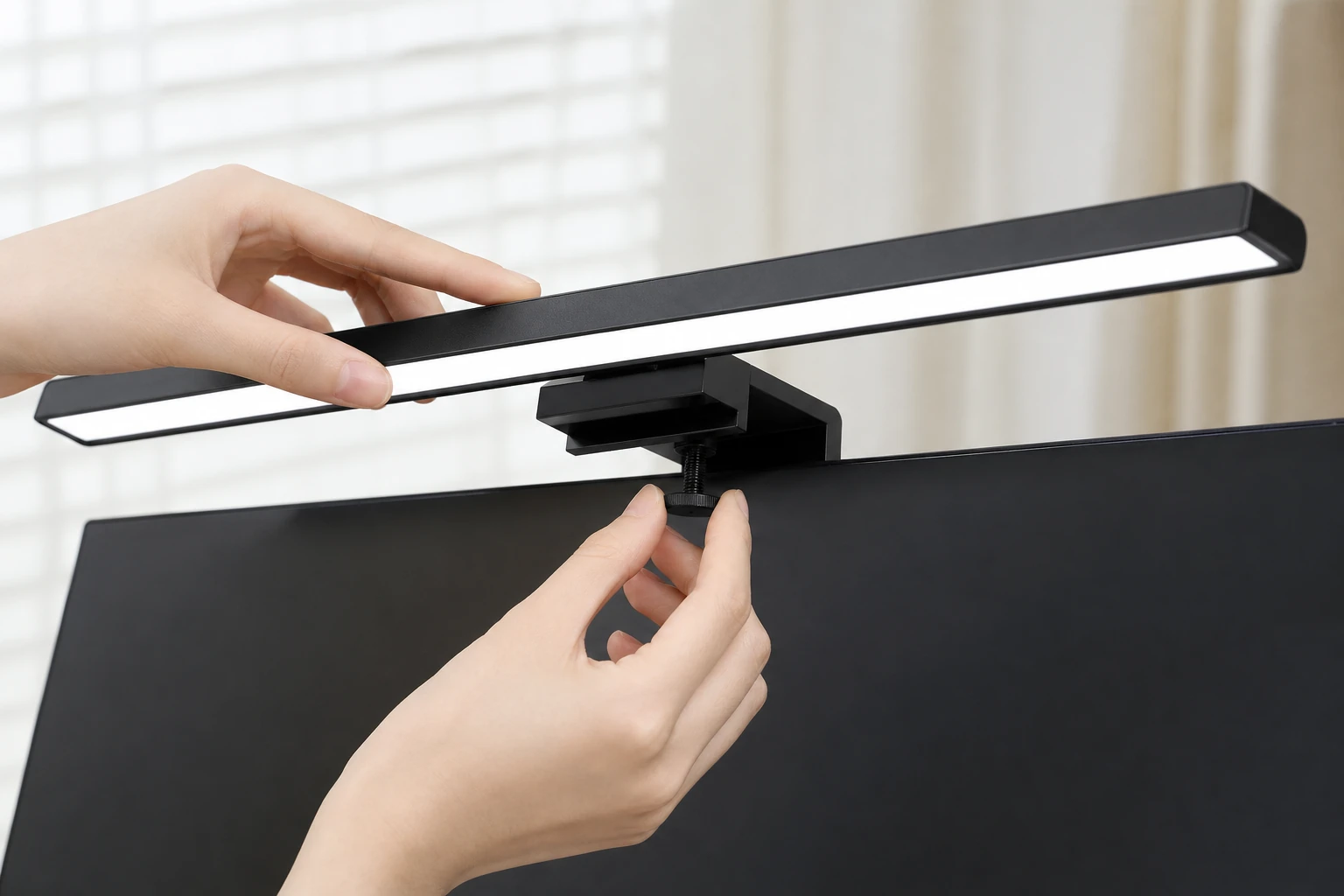
It is a slim black light bar that shines down onto the desk, held on the top edge of the monitor by a black clamp with a knob. It comes in 33cm and 50cm. The listing says Type-C power, stepless dimming, three color modes, and tool-free mounting.
"Eye care" and "anti-blue light" are marketing terms; there is no public lux or optical data behind them. The seller is a reseller, not ANENG's official store, so check shipping and return terms on the listing.

33cm or 50cm?
Measure your screen first. For a single monitor up to about 24 inches, 33cm usually covers the keyboard area. For 27 inches and up, or if you want light on the mouse and notebook too, 50cm keeps the sides from going dim. For two monitors with the bar in the middle, 50cm is more even.
On a laptop, the screen is narrower and the top edge thinner, so 33cm overhangs less.
Will it block the webcam?
This is the most common question. The clamp sits in the middle of the top edge, which is exactly where many monitors put the webcam or IR sensor. On thin-bezel screens, even if the lens is not covered, the bar can still crop the top few millimeters of the frame.
Check your bezel thickness and where the camera sits before buying. A clip-on webcam can move above or beside the bar. The listing does not state the maximum clamp opening, so be careful with curved monitors and thick backs.

What do forum users care about?
Most Taiwanese threads cover bigger brands: Mobile01 BenQ Halo2, PTT Yeelight budget bar, PTT Halo 2 unboxing, and screen-bar buying notes. We found no long user review of this ANENG model.
People care most about glare, a stable clamp, and the webcam, not how many "eye care" labels are on the box. Common complaints about budget bars: glare when the angle is off, and flicker when powered from a laptop USB port.
Tips for use
Tilt the bar down so the light hits the keyboard and desk, not the screen. Turn off the room light once and look for a white glare band on the display, then raise brightness slowly.
Route the Type-C cable so it does not pull on the bar. If it flickers on laptop power, try a phone charger.
Practical take: is the ANENG bar a good desk light?
On arrival, check the bar and clamp for warping, make sure the knob holds, and inspect the cable. Open your video-call app after mounting to confirm the camera is clear. If it flickers or won't stay put, return it through Shopee and photograph it first.
Length and webcam clearance come down to your screen width, camera position, and clamp shape. At about NT$259 it is a low-cost way to try a monitor light, as long as you measure first.
Similar alternatives
- BenQ ScreenBar series: the most discussed optics and clamp, much pricier
- Xiaomi/Mijia monitor light: mid-priced, mixed opinions on brightness and glare
- Regular clip lamps: cheaper, more glare, take up desk edge space
FAQ
33cm or 50cm?
For a laptop or a single monitor up to about 24 inches, 33cm is usually enough; for 27 inches and up or dual monitors, go 50cm. Measure your screen width first.
Will it block my webcam?
It can. The clamp sits mid-top, where many webcams are. Check camera position and bezel thickness; a clip-on webcam can sit above the bar.
Is laptop USB power enough?
Usually, but some users report flicker on budget bars; a phone charger is a simple fix.
Is this the official store?
No, it is a reseller. Check shipping, invoices, and warranty on the listing.
You might also like
Tech & Gadgets
Shop owner's pickBest USB-C Chargers 2027: Pairing Chargers, Banks and Cables
How do you match USB-C chargers, power banks and cables so the wattage adds up? We compare the Anker 67W, Anker Prime 200W, a magnetic power bank and the Baseus 240W cable on ports, output and limits.

Tech & Gadgets
Shop owner's pickMultipurpose Cleaning Gel Review: Will It Leave Residue in Key Gaps? Is It Safe on Mechanical Switches?
Dust stuck in your key gaps but worried about residue? This bright blue cleaning gel costs NT$5. Learn how to test it and use it on a mechanical keyboard before you stock up.

Tech & Gadgets
Shop owner's pickPOLYWELL Dual-Interface Card Reader Review: USB-A Plus Type-C, Do Both Ends Work?
Need to move camera cards to a laptop and a phone? The POLYWELL card reader has USB-A on one end and Type-C on the other. Check the slots and ports first, then think about speed.

Tech & Gadgets
Shop owner's pickUSB Bluetooth 5.0 Adapter Review: Plug Into a Desktop and Pair Right Away?
Desktop missing Bluetooth? This adapter is printed V5.0, so ignore the 5.3 in the title, and make sure you are not buying an audio transmitter.
Some images are illustrative.