DELAMU Under Desk Cable Tray Review: Does a Metal Tray Beat Adhesive Raceways?
30-second verdict
DELAMU B08XQB4Y1Z suits owners who can screw into the desk for firmer cable routing; no-drill renters should compare adhesive U-channels or clamp trays instead.
Good for
- Desk owners who can accept small screw holes for a rigid tray
- Setups with denser monitor and PC cable runs
- Buyers comparing metal trays against peeling adhesive raceways
Not for
- Users who need a deep basket for power strips and bricks
- Glass or no-hole desks that cannot take screws
- Setups that want clamp-only hardware with zero marks
Buying Guide Notes · First published:
Compiled from public sourcesWritten using published specs and user feedback.

Sources and verification status
Verification status: compiled from public sources; not hands-on tested
Data updated:
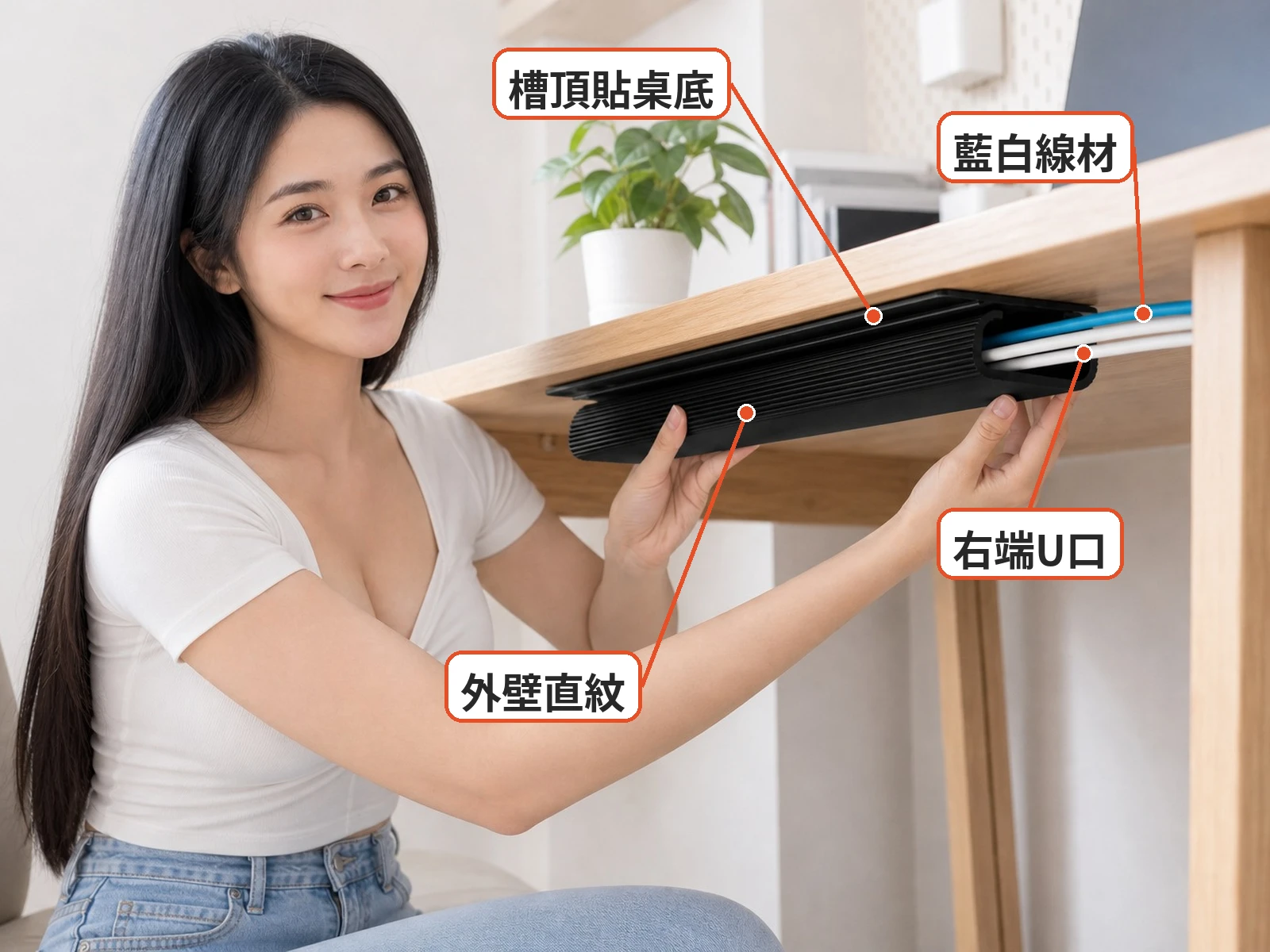
When HDMI, USB, and power leads drip off the desk edge and snag your chair, many people search for an under-desk raceway before buying a full cable basket.DELAMU’s under-desk cable tray (ASIN B08XQB4Y1Z) is a black metal tray meant to screw under the desktop and catch a tidy cable run—same job as Taiwan’s adhesive plastic U-channels, different mount.
Easy to spot: a screw-mounted metal tray, not a sticky J-channel and not a clamp basket. It sits in the “route cables under the desk” bucket—disclose upfront that Shopee picks here are adhesive plastic raceways while this Amazon ASIN is metal hardware.
When a screw-mount metal under-desk tray fits better than sticky raceways
Best for owners who can drill or screw into their own desk and want firmer hold for denser cable bundles. Reddit r/DeskCableManagement on securing raceways often notes adhesive alone can peel under load, so screws or clamps show up as the durable fix.
Good fit: permanent desks, heavier cable bundles, renters who already accept small screw holes. Less ideal: glass tops, ultra-thin boards, or anyone who must leave zero marks—those users stay with adhesive U-channels or clamp trays. On arrival, dry-fit the tray path before drilling.

Practical take: does an eighteen-dollar DELAMU metal tray fix the real cable mess?
Searches for a DELAMU under desk cable tray review ask about screw strength, tray length, and whether bricks still need a deeper basket. Metal screw mounts usually beat tape for staying put; they will not replace a full power-strip shelf if your brick pile is huge. Street price sat near $18.99 at check time with roughly 4.6★ / 1,143 reviews.
Peers include adhesive plastic raceways, clamp-on trays, and mesh baskets. This ASIN’s pitch is rigid metal and screw security; Taiwan adhesive U-channels win only when you refuse holes and only hide a few light leads. Use tip: map cable drop → mark holes → screw snug → drop cables → Velcro leftovers.
Dry-run the full setup with monitors powered before you commit screws; relocating holes scars wood. Thick IEC cords eat tray volume—pre-bundle with ties.
Adhesive raceways fail on dusty or powdering undersides; metal trays fail when screws hit hollow cores or glass. Match the mount to the desk, not the marketing photo.
Black finish disappears from the front view; decide whether the open side faces you for service access. Measure length against your cable drop zone instead of guessing.
Chair travel still snags any leftover loops—add Velcro points rather than a second undersized tray. Pet homes should keep chewable loops up in the tray.
When you move, unscrew and fill holes; that is the tradeoff versus peel-and-stick plastic. Glass and honeycomb tops need specialty hardware, not generic wood screws.
Set expectations on “guided cable path,” not “hide every brick.” Light signal runs are the sweet spot; dual-PC power jungles still want a deeper basket.
Batch finish and hole spacing can vary slightly—check flatness against the underside. Retighten after a week of chair bumps.
Glance under the desk after a cable change; a slipped lead is easier to reseat than untangling a chair-wrapped knot. Treat trays as desk hardware that can be upgraded when your brick count grows.
What users say
Reddit r/DeskCableManagement raceway mounting thread weighs sticky raceways versus screws; users often report adhesive peel under load and move to mechanical mounts. Category experience—not a lab certificate for this ASIN.

Similar alternatives
- Clamp-on steel under-desk trays: no drill, can hold strips, bulkier
- Screw-mount mesh baskets: stronger hold, needs holes
- Desktop cable boxes: hide strips when undersides cannot be mounted
If you dock a laptop that leaves every night, keep detachable segments out of the tray so you are not dragging the desk. A one-second glance at the open channel beats hunting a yanked HDMI under the chair.
Specs
| Item | Detail |
|---|---|
| Product | DELAMU metal under-desk cable tray black 1-pack |
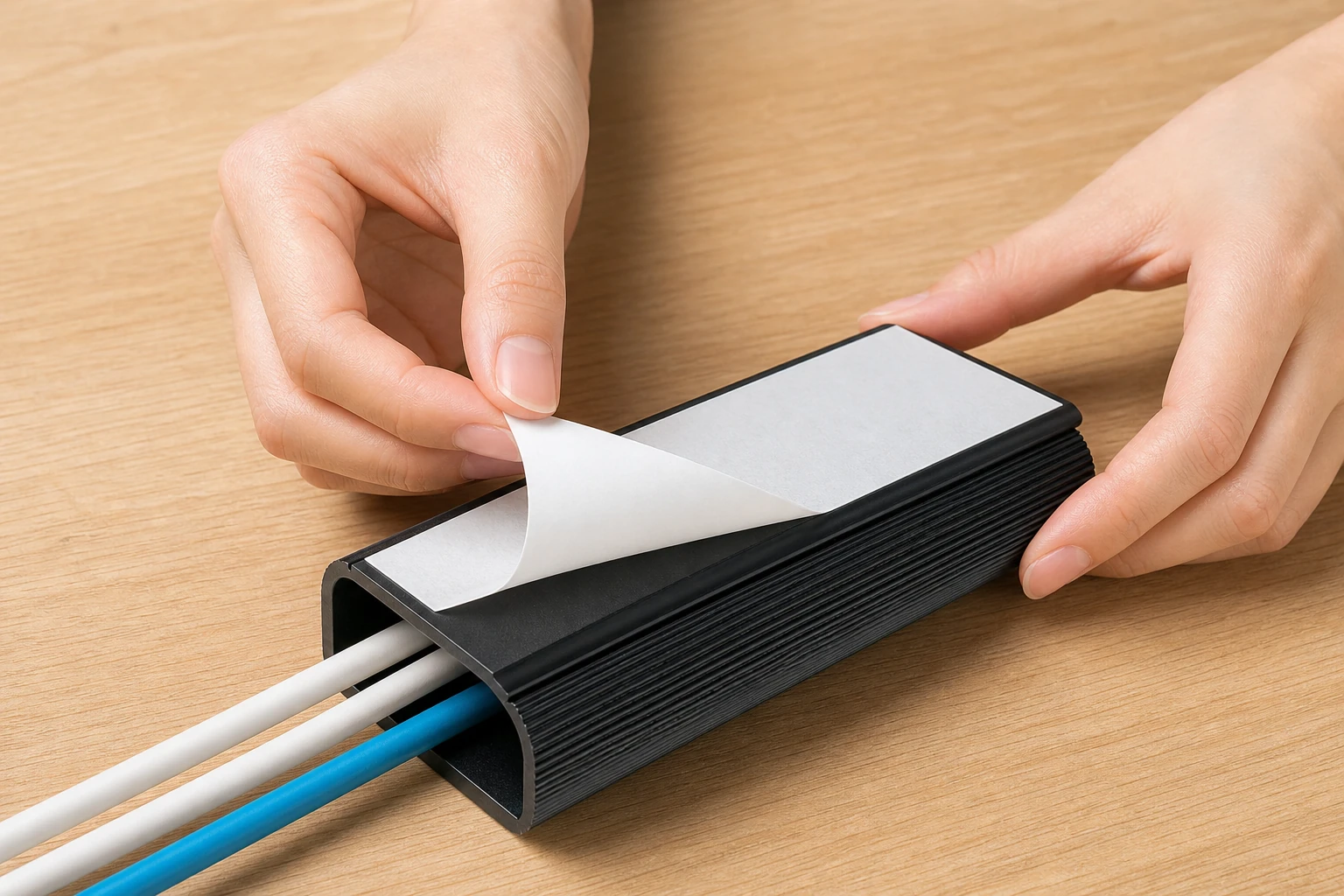
| Look | Black metal tray for under-desk screw mount; open cable channel |
| Common use | Route monitor and PC leads under a desk on a rigid tray |
| Price note | About $18.99 on Amazon at check time (prices change) |
| Sold / ratings | Amazon about 4.6★ from ~1,143 reviews at check time |
| Open gaps | Exact screw kit contents by batch, max dynamic load curves |

Pros
- Rigid metal screw mount holds better than tape for denser runs
- Black tray stays visually quiet from the front
- Large review count helps spot mounting patterns
Cons
- Needs screws—renters who forbid holes should pick clamps or adhesive raceways instead
- Will not replace a deep basket for huge brick piles
- Batch hardware details and load curves stay thin
Where to buy
$18.99 | See price on Amazon →
Check the details on the seller's page before you buy.
FAQ
Adhesive raceway or metal tray?
Sticky plastic hides light leads with no holes; metal trays screw on for stronger hold but mark the desk.
Can it hold a power strip?
Do not treat a slim adhesive channel as a strip shelf—use a clamp tray or basket for bricks.
How do I prep the underside?
Clean, dry, and press firmly; powdering finishes may need clamps instead of tape.
Will removal damage the desk?
Slow peels are safer; yanking can lift veneer—spot-test glass and specialty coatings.
Price and purchase links
As an Amazon Associate we earn from qualifying purchases. Disclosure

You might also like

Tech & Gadgets
Product analysisMini Cable Organizer Review: Can Clips Keep Chargers On Desks?
Mini adhesive dome clips can keep charger cables near the desk edge. Check cable diameter, surface and hole options first.

Appliances
Product analysis8-Inch USB Desk Fan Review: Quiet Enough for Office Work?
An 8-inch USB desk fan offers directional airflow; consider its tilt, noise, power connection and cleaning details.

Tech & Gadgets
Product analysisANENG Monitor Light Bar Review: Desk Glare and What to Check
Explore the ANENG monitor light bar's glare concerns, Type-C power and length options, plus what to check about clamp fit and miss.

Tech & Gadgets
Product analysisBaseus 240W Cable Review: Can It Connect a Laptop to a Monitor?
Baseus Tungsten Gold 240W focuses on high-power PD fast charging for people whose laptop and phone both use USB-C; just remember it is USB 2.0 before buying.