8-Inch USB Desk Fan Review: Quiet Enough for Office Work?
30-second verdict
An 8-inch USB desk fan fits near-seat directional cooling—public noise and continuous-run data stay thin; test it as a consumable.
Good for
- Desk workers needing a fixed breeze point
- Budget shoppers starting with USB plug-in fans
- People fine testing without public dB sheets
Not for
- Users needing whole-room circulation
- People who need meeting-room absolute silence
- Buyers requiring quantified wind-speed reports first
Buying Guide Notes · First published:
Compiled from public sourcesWritten using published specs and user feedback.

Sources and verification status
Verification status: compiled from public sources; not hands-on tested
Data updated:
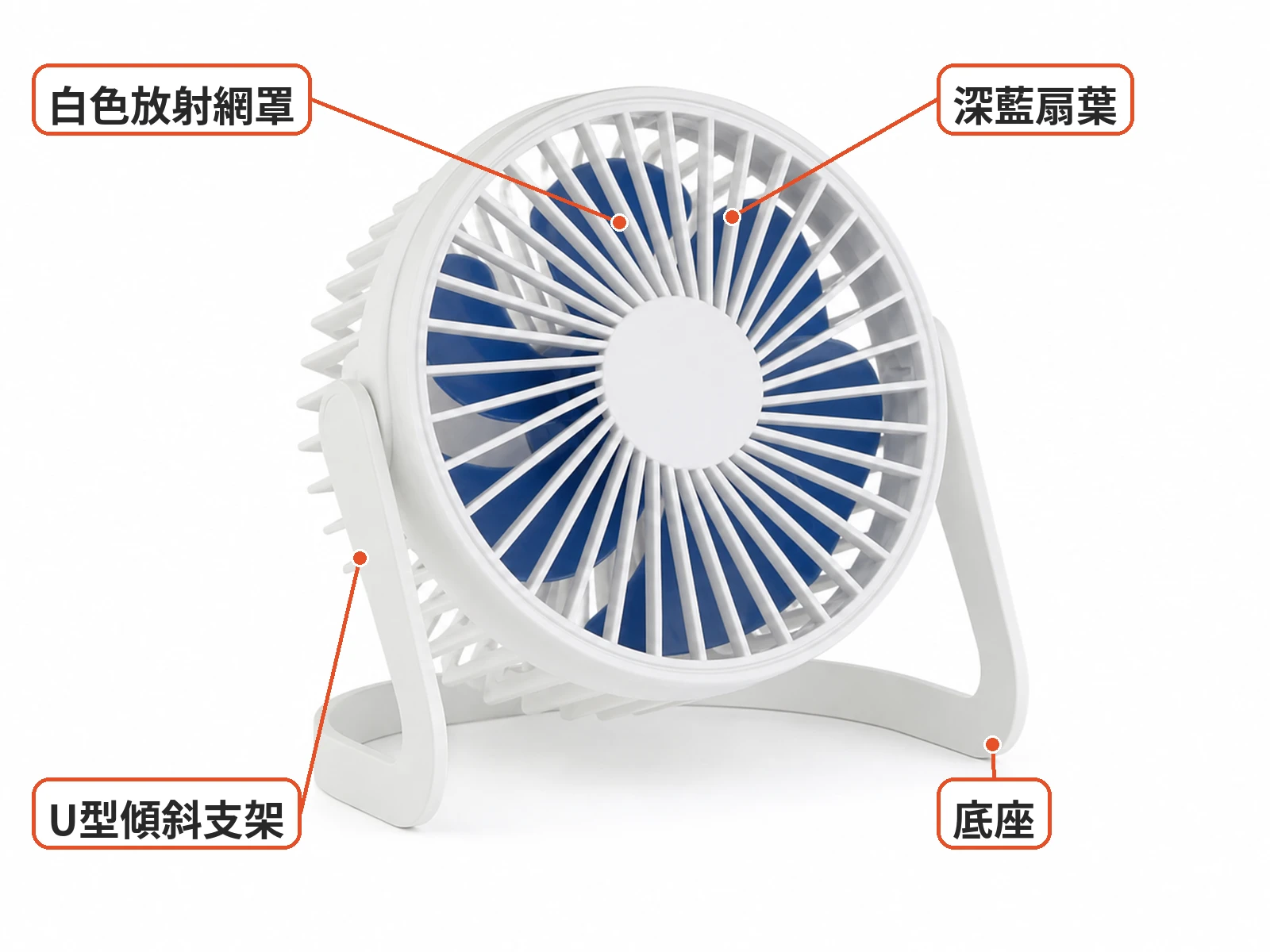
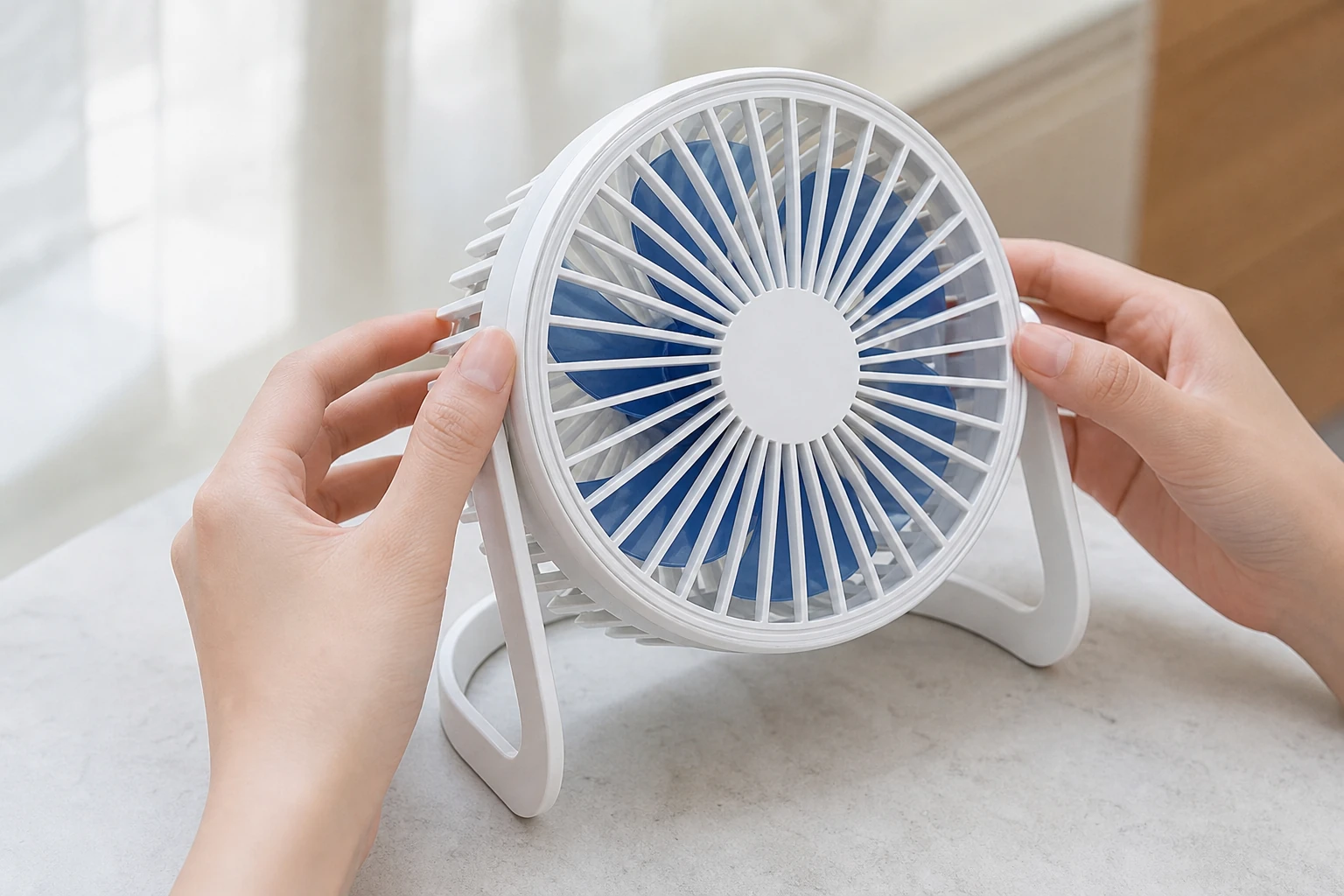
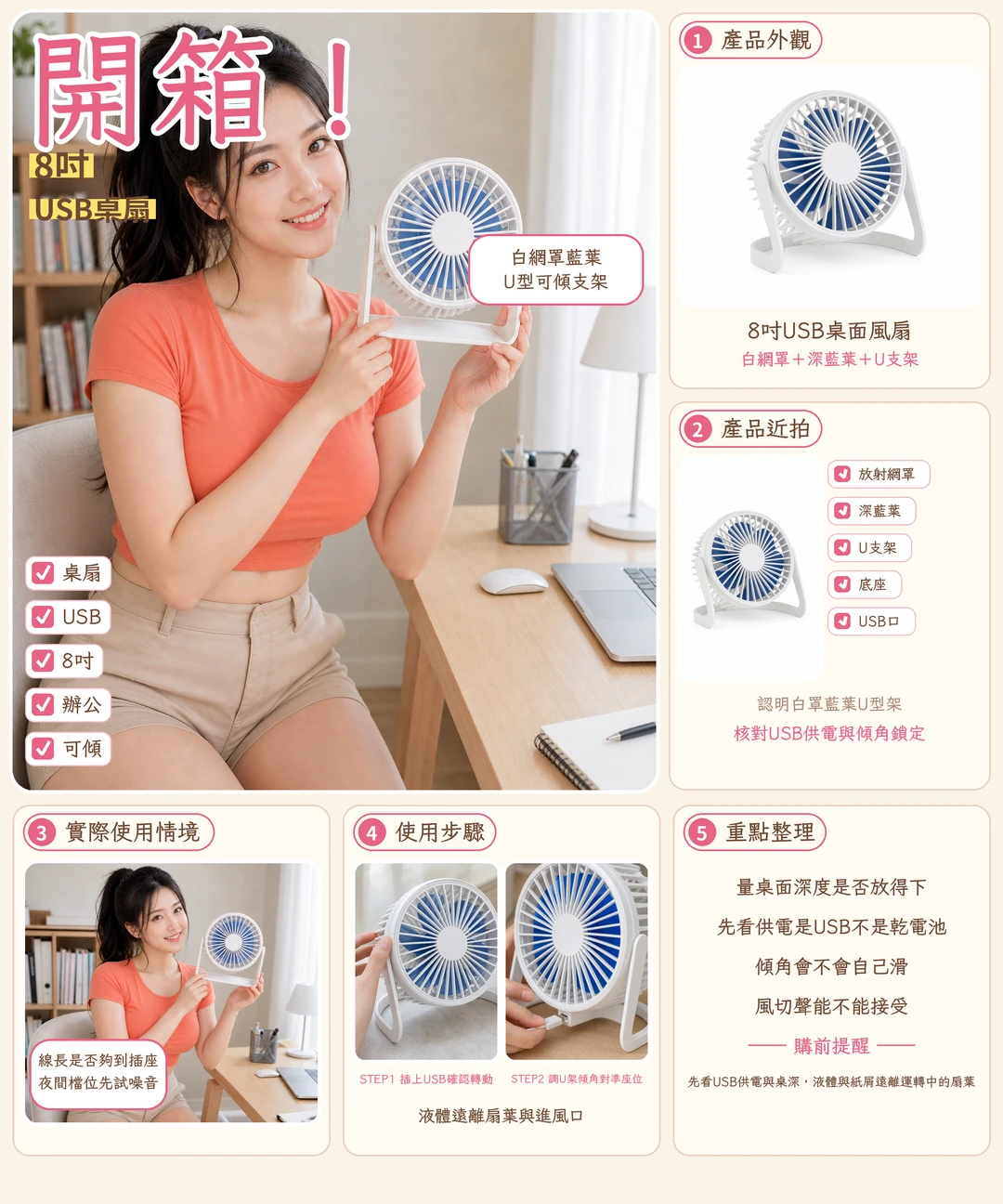
If the air conditioning never quite reaches your desk, a USB fan can be a way to direct a breeze toward your seat. This 8-inch model has a white round grille, dark blue blades and a white U-shaped tilt stand. Horizontal vent slats are commonly visible at the rear.

The listing describes it as quiet, powerful and adjustable, but does not give exact wind-speed or decibel figures. It makes more sense to assess it as a personal desk fan than as a replacement for whole-room circulation.
Who is this 8-inch USB desk fan for?
The fan may suit a laptop desk, office cubicle or dorm table where you want a fixed airflow direction. Its U-stand allows the head to tilt, although the available information does not specify the angle range. Desk height and placement will affect whether it points where you want it.

It is less straightforward for someone seeking whole-room airflow or near-silent operation during meetings. USB power and an 8-inch size do not establish how loud the fan is or how much air reaches a particular distance.
On arrival, check the grille and blades for deformation, see whether the stand moves smoothly, and make sure the cable reaches the intended power source. Stop using the fan and contact the seller if it vibrates or makes an unusual sound.

Practical considerations: office airflow and noise
A desk fan needs to direct air toward the user without getting in the way. The listing shows more than 4,000 sold, but that count does not establish airflow, noise or durability, and it cannot predict an individual user's experience.
Placement close to the seat fits the intended directional use. Consider the depth of the desk, the position of the monitor and the available tilt before deciding where to put the fan.

In PTT discussions about USB desk fans, users consider both airflow and noise, and some note that stronger airflow may come with more sound. Those comments concern the category, not a measurement of this model. The number of speed settings is not specified; ask the seller, and if the fan has multiple settings, assess them after arrival.
The U-shaped base needs a flat surface. Keep loose papers away from the airflow and arrange the cable so that a mouse or other desk item cannot pull the fan down. Near an aisle, route the cable where it will not trip anyone.
Move drinks before adjusting the fan. Keep hands dry when connecting or disconnecting power, and keep liquids away from the grille and rear vents. Where children or pets are present, check the grille gaps and keep fingers and objects away from moving blades.

The fan is USB-powered, but cable length, connector specification and whether a cable is included are not confirmed. Before using a laptop or power bank, ask the seller about the connector and power requirements and check compatibility with your device.
Do not obstruct the rear ventilation area. A PTT discussion of another USB fan mentions that some products have continuous-use limits; that does not establish a limit for this model. Its recommended running time and motor details are unknown, so read any instructions supplied and disconnect it if there is unusual heat, vibration or noise.
The available information does not say whether the grille can be removed or explain how to take it apart. Disconnect power before wiping the exterior. If you want to clean the blades, first confirm that removal is supported, and keep water and cleaning liquid out of the motor.
For storage, avoid crushing the grille or sharply bending the cable. If office noise is a concern, check the return terms before ordering and listen to the fan at its intended position after it arrives.

What users say
In the PTT USB desk-fan discussion, users weigh airflow against quiet operation; some mention that more airflow can mean more noise. These are category observations, not sound measurements for this fan.
The PTT discussion of a MUJI USB fan covers continuous use and motor life, while the office USB fan thread reflects concerns about disturbing coworkers. Different models and conditions can produce different outcomes.
A Mobile01 clip-fan article compares wind speeds for small fans. It discusses other products, so its measurements should not be attributed to this white desk fan.

Similar alternatives
- Clip-on rechargeable fans can free up desk space, provided the clip fits the intended surface.
- DC circulators and box fans are alternatives to investigate when broader airflow is needed; check the model's space and continuous-use guidance.
- Handheld or neck fans are more convenient on the move, but their support should be considered if they will also sit on a desk.
This model is best assessed for directional airflow near a seat. Check noise, stability, cleaning and continuous-use guidance against your own needs before ordering.
Pre-purchase checklist
- Check the white round grille, dark blue blades, white U-stand and rear vents.
- Ask about the USB connector, power requirements, cable inclusion and cable length; check compatibility with your power source.
- Ask about speed settings and return terms. On arrival, check for noise, vibration and unusual sounds.
- Make sure the desk is stable, the tilt can reach your seat and the cable does not obstruct a walkway.
- Consider grille gaps and the safety of children and pets; keep liquids away.
- Ask whether the grille can be removed for cleaning, and confirm continuous-use guidance, warranty and after-sales terms.
- Check the selected specification, shipping origin and return conditions.

Specs
| Item | Detail |
|---|---|
| Product | 8-inch USB desk fan with U-stand |
| Look | White round grille with dark blue blades, white U-shaped tilt stand, rear horizontal vent slats |
| Power / role | USB-powered directional desk airflow; quiet output, strong breeze, and tilt are common claims |
| Sold (from sales count) | About 4,000+ sold |
| Open gaps | Exact wind speed and dB figures, motor-type detail, continuous-run hour advice, cable length/port spec, washable grille and warranty terms |
Pros
- The 8-inch desk design is intended for directional airflow toward a seat.
- The white U-stand allows the fan head to tilt.
- USB power can be considered for use with a compatible laptop or power bank.
Cons
- Exact wind-speed and decibel figures are not public, so airflow and noise cannot be quantified.
- Continuous-use guidance and motor details are unknown, leaving durability uncertain.
- Cable length, connector details and grille removability are not specified.
Where to buy
FAQ
Is it too loud for an office or meeting?
No exact decibel figure is available. PTT users discussing small fans mention an airflow and noise trade-off; check return terms and listen to the fan after arrival.
Can it run all day?
The recommended continuous running time is not specified. Discussions of other USB fans mention limits on some products, but those do not establish a limit here. Read the instructions and disconnect it if heat or noise seems unusual.
Will the airflow reach my face?
It is intended for directional desk airflow, but exact wind speed and effective range are not published. Desk height, placement and tilt also affect where the air goes.
Can the grille and blades be cleaned?
Grille removability is not specified. Disconnect power before wiping the exterior; ask the seller about disassembly before cleaning the blades, and keep liquid out of the motor.
You might also like

Tech & Gadgets
Product analysisANENG Monitor Light Bar Review: Desk Glare and What to Check
Explore the ANENG monitor light bar's glare concerns, Type-C power and length options, plus what to check about clamp fit and miss.
NT$259

Tech & Gadgets
Product analysisFoxxray HKM-88 Keyboard Review: Are Blue Switches Too Loud at Work?
Wired full-size RGB with blue or red options—decide if deskmates can live with the sound.
NT$1,090
Tech & Gadgets
Product analysisDesktop Lift Phone Stand Review: Does It Wobble at Full Height?
Tired of a nodding phone stand? Match the black round-base lift pole and side clamp first.
NT$36

Tech & Gadgets
Product analysisMini Cable Organizer Review: Can Clips Keep Chargers On Desks?
Mini adhesive dome clips can keep charger cables near the desk edge. Check cable diameter, surface and hole options first.
NT$5